Diagnosis
Adds pages to the Dashboard menu with technical details about PHP, MySQL and other server…
অসমীয়া

Adds pages to the Dashboard menu with technical details about PHP, MySQL and other server…

This plugin provide you the functionality to export MySql database table to excel file. The…

An improved database layer for WordPress

This plugin was create to work around a problem caused by certain configurations in MySQL…

Add full database functionality to your website. Display advanced responsive data tables and multistep webforms…

Database Manager for WordPress Database with all functions to need to administrate your current used…

A plugin that allows the use of an external database (MySQL, PostgreSQL, MSSQL, and more)…

Store and search spatial metadata like any other metadata, but while taking advantage of MySQL…

Display mysql datas into datatable.

MySQL queries and load details added to your admin bar.

HyperDB is an advanced database class that supports replication, failover, load balancing, and partitioning.

Keep your database safe with scheduled backups. Multiple option for off-site backups also available.

A simple plugin to export and backup your database, on an ongoing basis
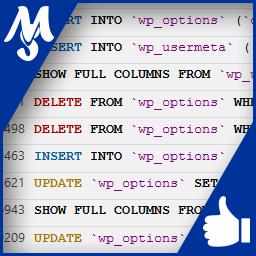
Record and view all SQL queries that your WordPress is requesting. Browse formated and highlighted…

! ! ! S T I L L B E T A ! ! !

WPPG is a special plugin enabling WordPress to be used with a PostgreSQL database. Redevelop…

This plugins lets you define forms in the admin area for existing tables in your…

Migrate WordPress databases using WP_HOME and WP_SITEURL constants.

Mit MySQList kann man ganz einfach Listen mit Ablaufdatum und Verlinkungen erstellen.

Creates a page in the dashboard with a list of the spatial functions your database…