
Description
Send notifications from your Woocommerce store to your chosen Discord channel.
Notifications on Discord for Woocommerce allows you to receive discord notifications for each Woocommerce order status.
Screenshots

Discord Notifications Settings Page 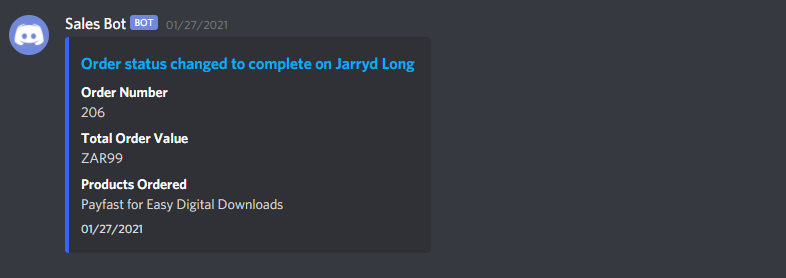
Example of a Discord Notification In Your Chosen Channel
Installation
Download, Install and Activate!
- Go to Plugins > Add New to find and install Notifications on Discord for Woocommerce.
- Or, download the latest version of the plugin, then go to Plugins > Add New and click the “Upload Plugin” button to upload your .zip file.
- Activate the plugin.
Complete the Initial Plugin Setup
- Visit Intro to Webhooks to create a webhook in Discord.
- Copy the webhook and login to your WordPress dashboard.
- Go to Settings > Discord Notifications and enable the status you’d like to be notified for followed by entering in your Webhook URL.
FAQ
-
I’m not receiving any discord notifications on my channel
-
Discord won’t accept notifications from an offline site. Be sure to send your discord notifications from an online site that is publicly accessible.
Reviews

আগষ্ট 16, 2021
Works great and easy to implement!

মে’ 10, 2021
1 reply
Amazing plugin for all your orders status !
Contributors & Developers
“Notifications on Discord for Woocommerce” is open source software. The following people have contributed to this plugin.
Contributors
Translate “Notifications on Discord for Woocommerce” into your language.
Interested in development?
Browse the code, check out the SVN repository, or subscribe to the development log by RSS.
Changelog
1.0.1
- Updated Tested Up To’s for Core and WooCommerce
1.0.0
- Initial Release, Lets Do This!