
বৰ্ণনা
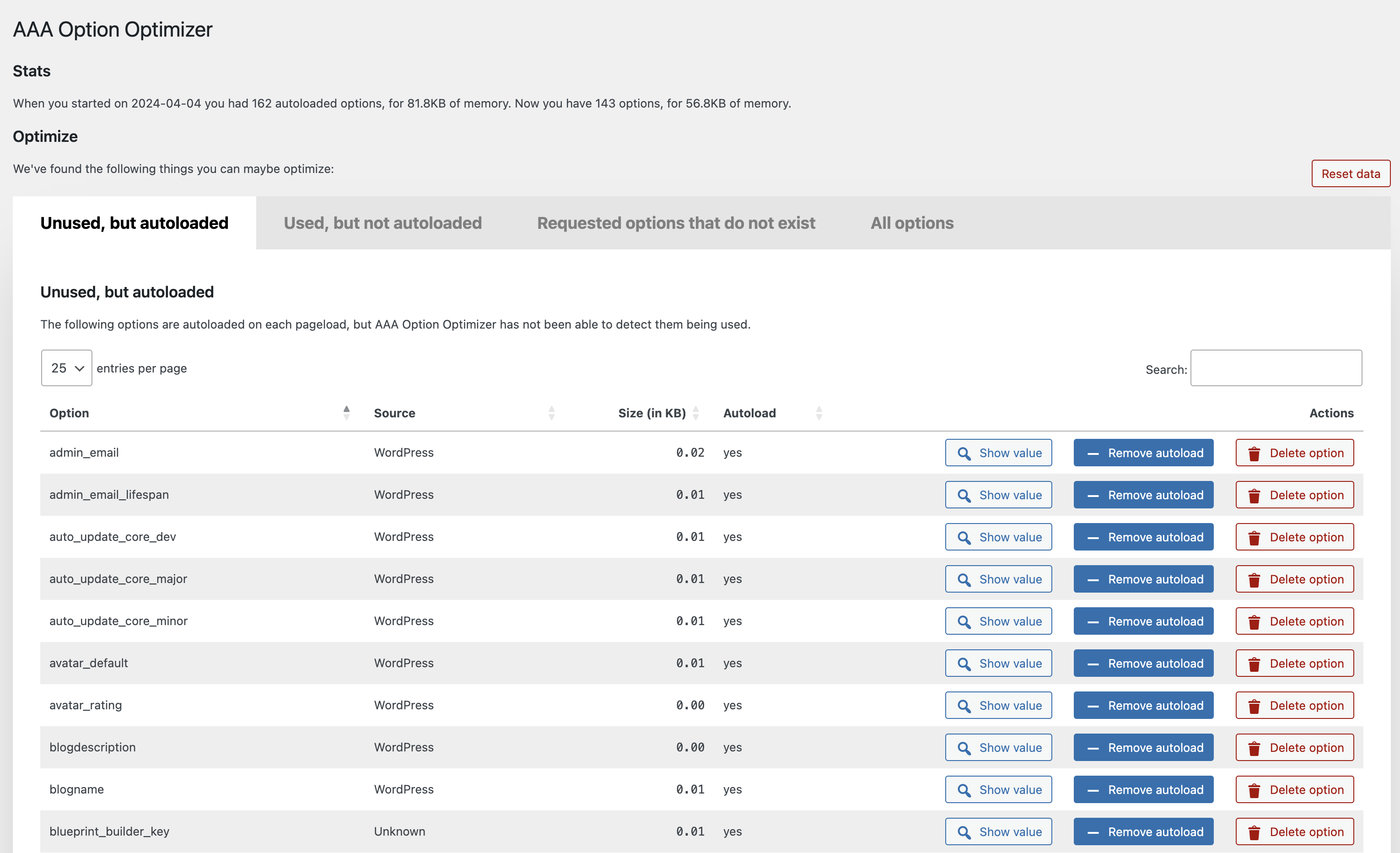
This plugin tracks which of the autoloaded options are used on a page, and stores that data at the end of page render. It keeps an array of options that it has seen as being used. On the admin page, it compares all the autoloaded options to the array of stored options, and shows the autoloaded options that have not been used as you were browsing the site. If you’ve been to every page on your site, or you’ve kept the plugin around for a week or so, this means that those options probably don’t need to be autoloaded.
How to use this plugin
Install this plugin, and go through your entire site. Best is to use it normally for a couple of days, or to visit every page on your site and in your admin manually. Then go to the plugin’s settings screen, and go through the unused options. You can either decide to remove an unused option (they might for instance be for plugins you no longer use), or to set it to not autoload. The latter action is much less destructive: it’ll still be there, but it just won’t be autoloaded.
স্ক্ৰীনশ্বট
ইনষ্টলেশ্যন
- Search for AAA Option Optimizer on the repository.
- Install the plugin.
- Wait a week or so. Or, if you’re in a hurry, click around on pages on your site, be sure to try and hit every page on your site and in your admin.
- Go to the plugin’s admin page and optimize your option usage.
সঘনাই উত্থাপিত প্ৰশ্ন
-
Why the AAA prefix in the plugin name?
-
Because the plugin needs to measure options being loaded, it benefits from being loaded itself first. As WordPress loads plugins alphabetically,
starting the name with AAA made sense. -
Do I need to take precautions?
-
Yes!! Backup your database.
-
Where can I report bugs?
-
Please use our GitHub for reporting bugs or making code suggestions. Feel free to use the forums for asking questions too, of course.
For security issues, please see the next question.
-
How can I report security issues?
-
You can report security bugs through the Patchstack Vulnerability Disclosure Program. The Patchstack team help validate, triage and handle any security vulnerabilities. Report a security vulnerability.
-
How can I add recognized plugins?
-
Please do a pull request via GitHub on this file in the plugin.
পৰ্য্যালোচনা


অৱদানকাৰী আৰু বিকাশকাৰীসকল
“AAA Option Optimizer” হৈছে মুক্ত উৎসৰ ছফ্টৱেৰ। এইসকল লোকে এই প্লাগিনত অৱদান আগবঢ়াইছে।
অৱদানকাৰীসকল


“AAA Option Optimizer” 7টা ভাষাত অনুবাদ কৰা হৈছে। অনুবাদকসকলক তেওঁলোকৰ অৱদানৰ বাবে ধন্যবাদ।
আপোনাৰ ভাষাত “AAA Option Optimizer” অনুবাদ কৰক।
বিকাশৰ প্ৰতি আগ্ৰহী?
ক’ড ব্ৰাউজ কৰক, SVN ৰিপজিটৰী চাওক নাইবা RSS-দ্বাৰা বিকাশৰ পঞ্জী ছাবস্ক্ৰাইব কৰক।
সলনি-পঞ্জী
1.6.1
- Fix infinite recursion in option access monitoring that could cause a fatal error in certain hosting environments.
= 1.6.0
- Replace using ‘all’ filter for monitoring option usage with ‘pre_option’ filter for better performance.
- Migrate tracked options data from a single wp_option to a custom database table for improved performance and reliability.
1.5.1
- Add “select all” checkbox.
- Fix table filtering by Source column.
1.5.0
- Prefix the Datatables script slug to avoid conflict with other plugins.
- Add MainWP to known-plugins list
- Add SliceWP to known-plugins list
- Add more known prefixes for WooCommerce options
- Fixed a bug in bulk-actions
1.4.0
- Performance improvements.
- Added bulk-actions to allow optimizing & deleting options in bulk.
- Added more known plugins.
1.3.2
- Performance fix: Do not autoload the plugin option.
1.3.1
- Fix JS error when deleting an option.
1.3
- Make plugin work with the latest autoload changes.
1.2.1
- Fix error in
known-plugins.json. - Prevent fatal error when there’s an error in
known-plugins.json.
1.2
Enhancements:
- Overhaul of the UX, implementing proper tabs, better buttons and more.
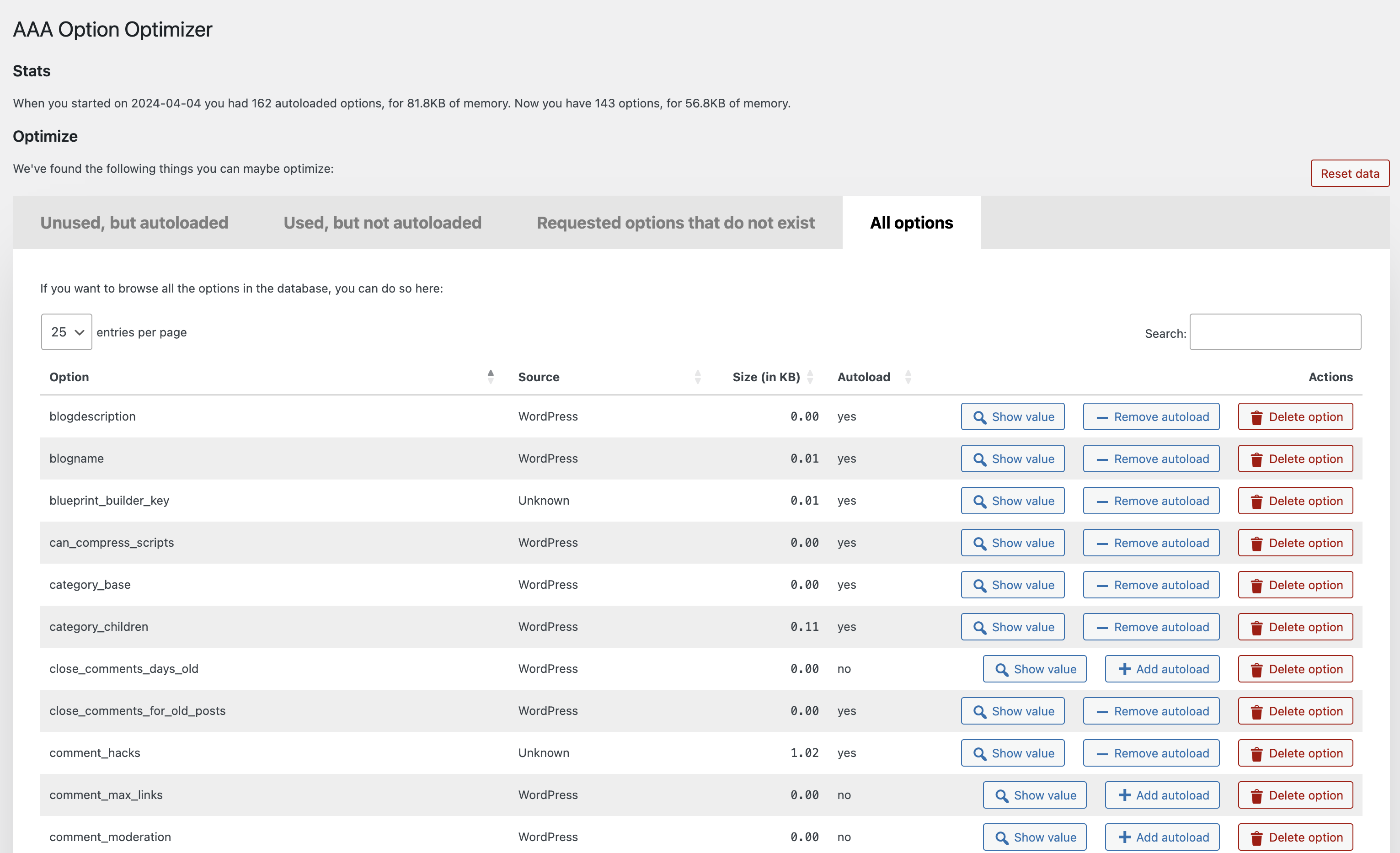
- Added a new “All options” tab, which, when you hit the button, loads all the options from the database and allows you to manage them.
- Added a “Reset data” button which resets the tracking data.
- Added a link to the Optimize Options page from the Plugins page.
- Much improved recognition of core WordPress options, themes and plugins under “Source”, thanks in part to pull requests from Rogier Lankhorst and system4pc.
- You can now also filter all tables by Source so you can more easily find the options you’re looking for.
- Many code and speed improvements under the hood, including adding a class autoloader and some i18n fixes.
1.1.1
Implement the missing functionality to create an option with value false when it’s being loaded but doesn’t exist.
1.1
The plugin now recognizes plugins from which the options came (thanks to a great pull by Rogier Lankhorst). If you’re a plugin developer and want your plugin’s options
properly recognized, please do a pull request on this file.
Small enhancements:
- Column width is now automatically determined which leads to better spacing.
- Action buttons are now centered in their columns.
Bugs fixed:
- If you removed autoload from or deleted an option, it’d be removed from the table but would be back when you paginated, that’s fixed – thanks to Jono Alderson for reporting.
- Fixed sorting by filesize by moving the
KBto the table heading, so that you can now properly sort numbers. - Fixed issue where an empty option would result in weird size output.
1.0.2
- Fixed a bug where the buttons wouldn’t work in a paginated state.
- Show the value of an option in a
popover, as suggested with a great pull request by @rogierlankhorst.
1.0.1
Fixed an error with values that are objects, not strings, which also caused sorting not to work for some people.
1.0
Initial release on GitHub and WordPress.org.