
বৰ্ণনা
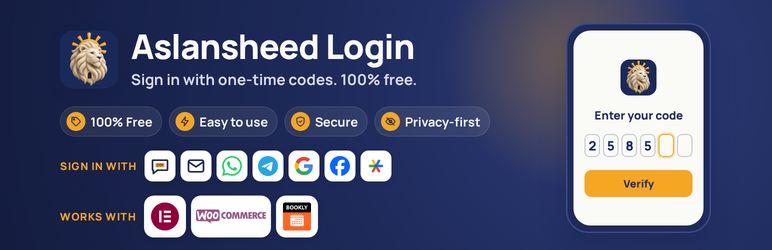
Aslansheed Login lets visitors sign in or register with a phone number or email and a one-time code. Everything is free: there are no locked features and no license checks.
Sign-in and registration
- One smart form: the visitor types a phone number, email or username. The form offers a code or a password, and new users finish registration after verifying their code.
- Configurable registration fields: first and last name, username, email, password with confirmation and strength meter, national ID, postal code and birth date. Each is hidden, optional or required. Birth date can use the Gregorian or the Jalali (Persian) calendar, or let the user switch. National IDs are checked with the Iranian checksum, kept unique and stored encrypted.
- Optional email verification at registration: a code is sent to the address a new user gives, and the account is created only after it is entered.
- Multi-country sites: an optional country list next to phone numbers, limited to the countries you allow.
- Optional Google sign-in (Google Identity Services, no client secret needed).
- Optional Facebook sign-in. Only the public profile and email permissions are requested. A new user can be asked for the required registration fields Facebook did not share, or the account can be created at once with whatever Facebook gave. Linking to an existing account by email, and treating the Facebook email as verified, are separate options, both off by default. Password fields have a show/hide eye button.
- Custom registration fields: text, number, date, dropdown, checkboxes and more.
- Account page for signed-in users (
[aslansheed_account], also on a Security page in WooCommerce My Account): link or unlink Google and Facebook, set up an authenticator app, change the password and, if you allow it, change the verified phone number with a code sent to the new one. - Sign-out shortcodes:
[aslansheed_logout](link or button) and[aslansheed_logout_url](only the address, for a page builder button). The sign-out address stays on your home page and never shows wp-login.php or a renamed admin address. An optional setting applies it to sign-out links from themes and menus too. - Works wherever you build pages: shortcode
[aslansheed_login], a block, and an optional Elementor widget for the form. - Access links for hosting or support staff: a one-time or multi-use link with a role and an expiry time that signs them in without a password, with a temporary account that is deleted when the time ends.
- Optional replacement of the WordPress login page. It is off by default and needs a secret emergency address that always shows the classic form, so you can never lock yourself out.
Delivery channels with automatic fallback
- Email, SMS, WhatsApp Cloud API, Telegram Gateway and your own Telegram bot (send a code, or an Approve button).
- SMS providers: Twilio, Vonage, Plivo, Telnyx, Sinch, Infobip, Africa’s Talking, Melipayamak, Kavenegar, SMS.ir and a custom HTTP gateway. If one fails, the next one is tried.
- A “Send test” button for every channel and provider, and a masked message log.
Security and privacy
- 2FA with Google Authenticator, Microsoft Authenticator, Authy and other apps. Set it to off, optional or required, for everyone, chosen roles or chosen people. Users get recovery codes, and it also protects the classic wp-login.php form.
- Codes are random, single use, expire quickly and are stored only as keyed hashes.
- Gateway keys and secrets are encrypted at rest (libsodium, derived from your WordPress salts).
- Rate limits per recipient and per IP, wrong-attempt limits and lockouts against SMS pumping and brute force.
- Optional captcha: Cloudflare Turnstile, hCaptcha, Google reCAPTCHA v2, or a built-in check that works without any outside service.
- Block lists for emails, phone numbers and IP addresses, and a country allow list for phone numbers.
- Optional sign-in notification emails for users and for administrator sign-ins.
- Audit log with configurable retention.
- WordPress personal data export and erase tools, and suggested privacy policy text.
WooCommerce
- Optional sign-in form on My Account.
- Optional phone verification at the classic checkout.
- Billing phone, name, email, postal code and country sync from the registration form, and postal code kept in step with the billing address.
- Billing phone sync and High-Performance Order Storage (HPOS) compatibility.
- The block-based checkout is not covered yet.
Bookly
- Works with Bookly Lite and Bookly Pro.
- When someone signs in, an existing Bookly customer with the same verified phone number or verified email, and no linked user yet, is linked to their account. Phone numbers are compared by their last ten digits, so spaces, dashes and Persian or Arabic digits do not matter.
- When someone registers, or signs in and has no Bookly customer yet, they are added to Bookly with their name, email, phone number, birth date and postal code, so the booking form opens already filled in. A customer is created only when nobody in Bookly has the same phone number or email.
- Only empty fields are filled. Existing details are never replaced, administrators are never linked, and when more than one customer matches, nothing is linked or created and the skip is recorded in the audit log. Linking and creating are separate options.
Tools
- Import phone numbers stored by other login plugins or in any user meta key, with a preview.
- Export and import the general settings as JSON. Secrets are never exported.
About the author
Aslansheed designs and supports websites (https://aslansheed.ir). Products such as plugins and Telegram bots are built in our lab at https://sheedcore.aslansheed.ir. This plugin is free and has no paid version. You can support its development at https://sheedcore.aslansheed.ir/Donate
External services
The plugin contacts a third-party service only when a site administrator turns on the matching feature. Nothing is sent to any of these services by default. Each service below is described with what it is used for, what is sent and when, and links to its terms and privacy policy.
Feedback form (About tab)
Not a third-party service. Only when an administrator presses Send, the message they wrote, the reply email they typed and, if ticked, the plugin, WordPress, PHP, WooCommerce and Elementor versions, the site language and the site address are emailed from your own site (wp_mail) to login@aslansheed.ir. Nothing is sent automatically.
SMS providers
Used to deliver one-time codes by text message. You choose one provider in Settings. When a visitor asks for a code, the provider receives the recipient phone number, the message text (which contains the code), the sender name or number you configured and your API credentials. Nothing is sent otherwise.
- Twilio: terms, privacy policy
- Vonage: terms, privacy policy
- Plivo: terms, privacy policy
- Telnyx: terms, privacy policy
- Sinch: terms, privacy policy
- Infobip: terms, privacy policy
- Africa’s Talking: terms, privacy policy
- Melipayamak (https://www.melipayamak.com): terms. The website does not publish a separate privacy policy page.
- SMS.ir (https://sms.ir): terms. The website does not publish a separate privacy policy page.
- Kavenegar (https://kavenegar.com): the website does not publish a separate terms of service or privacy policy page. Its FAQ describes the service.
- Custom gateway: a web address that you enter yourself. The same data is sent to that address, and its terms are those of the service you chose.
WhatsApp Cloud API (Meta)
Used to deliver one-time codes by WhatsApp. When a visitor asks for a code, the recipient phone number and the message text (which contains the code) are sent to graph.facebook.com together with your access token. Business terms, privacy policy.
Telegram Gateway and Telegram Bot API
Used to deliver one-time codes by Telegram. Telegram Gateway (gatewayapi.telegram.org) receives the phone number and the code when a code is requested. The Telegram Bot API (api.telegram.org) receives the chat ID, the message text and the bot token when a code is requested or when you connect a bot. Terms, privacy policy.
Google sign-in (Google Identity Services)
Used to let visitors sign in with their Google account. Only when Google sign-in is on, the visitor’s browser loads Google’s script from accounts.google.com, and when the visitor signs in, the server sends the ID token that Google issued to oauth2.googleapis.com to verify it. Terms, privacy policy.
Facebook sign-in (Meta Platforms)
Used to let visitors sign in with their Facebook account. Only when Facebook sign-in is on, the visitor’s browser loads Meta’s script from connect.facebook.net and shows Facebook’s own login dialog. When the visitor signs in, the server sends the access token Facebook issued, together with your app credentials, to graph.facebook.com to check the token and read the visitor’s Facebook ID, name and, if they agree, email address. Nothing else is requested. Terms, privacy policy.
Captcha providers (optional)
Used to block automated sign-in attempts. The built-in check contacts no one. Only if you enable one of the providers below, the visitor’s browser loads the provider’s script, and when a form is submitted the server sends the captcha token and the visitor’s IP address to the provider to check it.
- Cloudflare Turnstile: terms, privacy policy
- hCaptcha: terms, privacy policy
- Google reCAPTCHA: terms, privacy policy
Third-party code
The QR code on the 2FA setup screen is drawn in the browser by qrcode-generator 2.0.4 by Kazuhiko Arase (MIT license), bundled as assets/js/vendor/qrcode.js inside a small wrapper that exposes it to the plugin. Source: https://github.com/kazuhikoarase/qrcode-generator
Privacy
The plugin stores phone numbers and email addresses used for sign-in, a security audit log and a message log in which recipients are masked. Codes are never stored in clear text. You can set retention periods, use the WordPress personal data export and erase tools, and enable full data removal on uninstall. The plugin adds suggested text to the privacy policy guide.
ব্লকবোৰ
এই প্লাগিনটোৱে 1টা ব্লক প্ৰদান কৰে।
- Aslansheed sign-in form A sign-in and registration form with one-time codes.
ইনষ্টলেশ্যন
- Upload the plugin folder to
/wp-content/plugins/, or install it from the Plugins screen. - Activate the plugin.
- Open Aslansheed Login in the admin menu. Enable at least one delivery channel on the Channels or SMS providers tab and use “Send test”.
- Put
[aslansheed_login]on a page, or turn on the WordPress login page replacement after setting an emergency address.
সঘনাই উত্থাপিত প্ৰশ্ন
-
Is anything paid or locked?
-
No. The plugin is free and fully functional. SMS, WhatsApp and Telegram messages are billed by the gateway you choose, not by this plugin.
-
Will I be locked out if my SMS gateway fails?
-
Set an emergency address on the General tab before replacing the WordPress login page. It always shows the classic username and password form. Channels also fall back to each other, and email is on by default.
-
Does it work with the block-based WooCommerce checkout?
-
Not yet. Phone verification at checkout works with the classic checkout. The My Account sign-in form works in both cases.
-
How do I give my host or a support person access without a password?
-
Open Protection, Access links. Pick a role and how long the access lasts, then create a link and send it. The person opens it, presses a button and is signed in with a temporary account. The link can work one time or many times until it expires. The account is deleted when the time ends, or as soon as you delete the link. The temporary account can never create, edit or delete users. Give the lowest role that does the job, because an Administrator can still change the site. Switching the plugin off or removing it also deletes these accounts.
-
Where do I get gateway credentials?
-
From the gateway you choose. Each channel and provider card on the settings screens lists the fields it needs.
-
How do I remove all data?
-
Turn on “Delete all data on uninstall” on the General tab, then delete the plugin.
পৰ্য্যালোচনা
এই প্লাগিনৰ বাবে কোনো পৰ্য্যালোচনা নাই।
অৱদানকাৰী আৰু বিকাশকাৰীসকল
“Aslansheed Login” হৈছে মুক্ত উৎসৰ ছফ্টৱেৰ। এইসকল লোকে এই প্লাগিনত অৱদান আগবঢ়াইছে।
অৱদানকাৰীসকল
আপোনাৰ ভাষাত “Aslansheed Login” অনুবাদ কৰক।
বিকাশৰ প্ৰতি আগ্ৰহী?
ক’ড ব্ৰাউজ কৰক, SVN ৰিপজিটৰী চাওক নাইবা RSS-দ্বাৰা বিকাশৰ পঞ্জী ছাবস্ক্ৰাইব কৰক।
সলনি-পঞ্জী
1.2.0
New features
* Access links: create a link with a role and an expiry time and send it to hosting or support staff, so they can sign in without a password. A link works one time or many times until it expires, shows a button first so mail scanners cannot use it up, and can be copied again later. The temporary account is deleted when the time ends or when you delete the link, and it can never create, edit or delete users. Find it under Protection, Access links.
* Security page in WooCommerce My Account: change the password, link or unlink Google and Facebook, change the phone number or email and manage two-factor authentication in one place. The WooCommerce password fields in Account details can be hidden so passwords are changed only here.
* Account page: users can change their email address (a code is sent to the new address first). Options that are not set up stay hidden, and options an administrator has locked are shown disabled with a clear message instead of disappearing.
* Settings for the look of the built-in sign-in page (logo, title, colors, background image, box width and corners, footer text) with an administrator preview, and “Look of all forms” settings (colors, roundness, maximum width, extra CSS) for the sign-in form, the account page and the 2FA box wherever they are placed.
* Audit log options: turn off “Record sign-ins” to keep no history of who signs in, and turn off “Record IP address and browser” to keep the log without them.
* Optional site-wide limit on codes sent per hour, to keep a bot flood from getting your email host or SMS account blocked.
* Administrators now go to the WordPress dashboard after signing in on this plugin’s form when no page was asked for, as on the classic form. Can be turned off with “Send administrators to the dashboard”.
* Clearer guidance about two-factor authentication: two-factor plugins from other developers (such as the 2FA of All In One Security) do not run on this plugin’s form, so the settings and the Help tab now point to this plugin’s own 2FA.
* A Persian (fa_IR) translation is now included. It is used for people whose language is Persian: the dashboard follows the language of the signed-in user, the front end follows the site language. Translations from WordPress.org take priority where they exist.
Security
* The built-in check can no longer be used to skip Google, Cloudflare or hCaptcha. The fallback now only works while this server itself cannot reach the provider.
* When this plugin’s form replaces the WooCommerce My Account sign-in page, direct sign-ups to the old WooCommerce form are refused.
* Reserved addresses such as wp-admin and wp-login are refused as the emergency login address.
Fixes
* Signing in with a password now works when the password contains a quote or a backslash and was set through the lost-password screen, as it does on the classic login form. The password check also asks WordPress itself, so plugins that hook into sign-in are honored.
* Signing in with a password now accepts usernames that look like a phone number (for example 09121234567) or use non-Latin letters, the same way the WordPress form does.
* WooCommerce features that need WooCommerce to be loaded first, such as the Security page, were never started. They now start correctly.
* Times in the audit log and the delivery log now use the time zone set in Settings, General instead of UTC.
* Clearer help for the emergency login address and other settings.
1.1.0
- New: Help tab with every shortcode, the Elementor widgets and answers to common questions.
- New: Elementor widgets for a log out button and the account panel.
- New: details after a first Google or Facebook sign-up. Choose to skip it, ask only the required fields, ask every field (optional ones may stay empty), or require every field. Replaces the Facebook-only “ask for missing details” option; the new default asks the required fields.
- Fix: captcha tokens longer than 2048 characters (Google Cloud reCAPTCHA keys) were cut off and always failed.
- New: built-in captcha check that needs no outside service, with an optional fallback for when Google or Cloudflare cannot be reached, and step-by-step help for getting captcha keys.
- Security: code and password checks and send limits can no longer be beaten by many parallel requests; password guesses no longer lock a person out of code sign-in; unknown accounts answer as slowly as real ones; an email address typed at registration without proof can no longer be used to sign in or to link Google or Facebook; gateway requests refuse addresses inside the server’s own network.
- New: sign-out shortcodes with a private address that never shows the login or admin address.
- New: account page with linked accounts, authenticator setup, password change and an admin-controlled phone number change.
- New: Facebook sign-in, with an option to ask new users for the required details Facebook did not share.
- New: the form only offers what is set up. Phone numbers and codes are hidden when no channel can deliver them, so the plugin works with email and password only, or with passwords plus social sign-in.
- New: Bookly integration. Links existing Bookly customers to users by verified phone or email and creates a Bookly customer on registration, so the booking form is pre-filled.
1.0.0
- Initial release.