

বৰ্ণনা
The EthPress Web3 Login WordPress Plugin adds a capability to connect with cryptocurrency wallets such as MetaMask for Ethereum, Binance Smart Chain (BSC), Polygon (MATIC) or any other EVM-compatible blockchain, and wallets that support Reown QR code. Adds a button to WordPress login screen that will let users securely log in with their crypto wallet.
Add the capability to log in with cryptocurrency wallets such as MetaMask for Ethereum, and wallets that support Reown QR code. Adds a button to WordPress login screen that will let users securely log in with their crypto wallet.
In the background, a regular WordPress user account is created, so existing plugins and customizations will have no problem working along.
The EthPress NFT Access Add-On can be used to control access for WooCommerce products, simple pages and posts.
Supported Languages
The plugin is translated into the following languages:
- German (de_DE)
- Spanish (es_ES)
- French (fr_FR)
- Hindi (hi_IN)
- Italian (it_IT)
- Japanese (ja_JP)
- Portuguese (Brazil) (pt_BR)
- Portuguese (pt_PT)
- Russian (ru_RU)
- Chinese (Simplified) (zh_CN)
- Chinese (Traditional) (zh_TW)
Features
One bullet is one thing this plugin gives your site, and the gallery below has one frame for each, in the same order. A bullet marked (Professional) needs the Professional edition; a bullet marked (NFT Access Add-On) comes with the separate EthPress NFT Access Add-On.
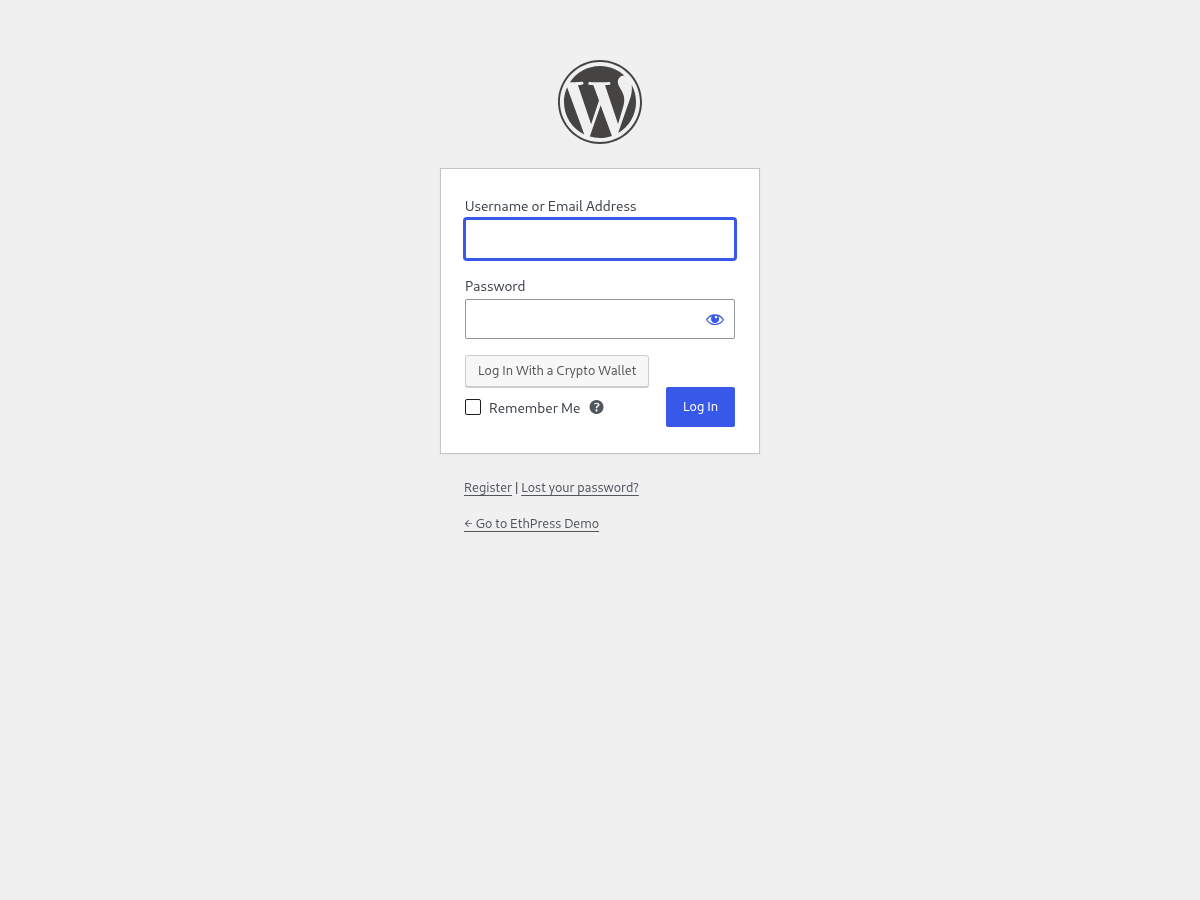
- A wallet login button appears on the WordPress login screen as soon as the plugin is active.
- The same button goes on any page with the
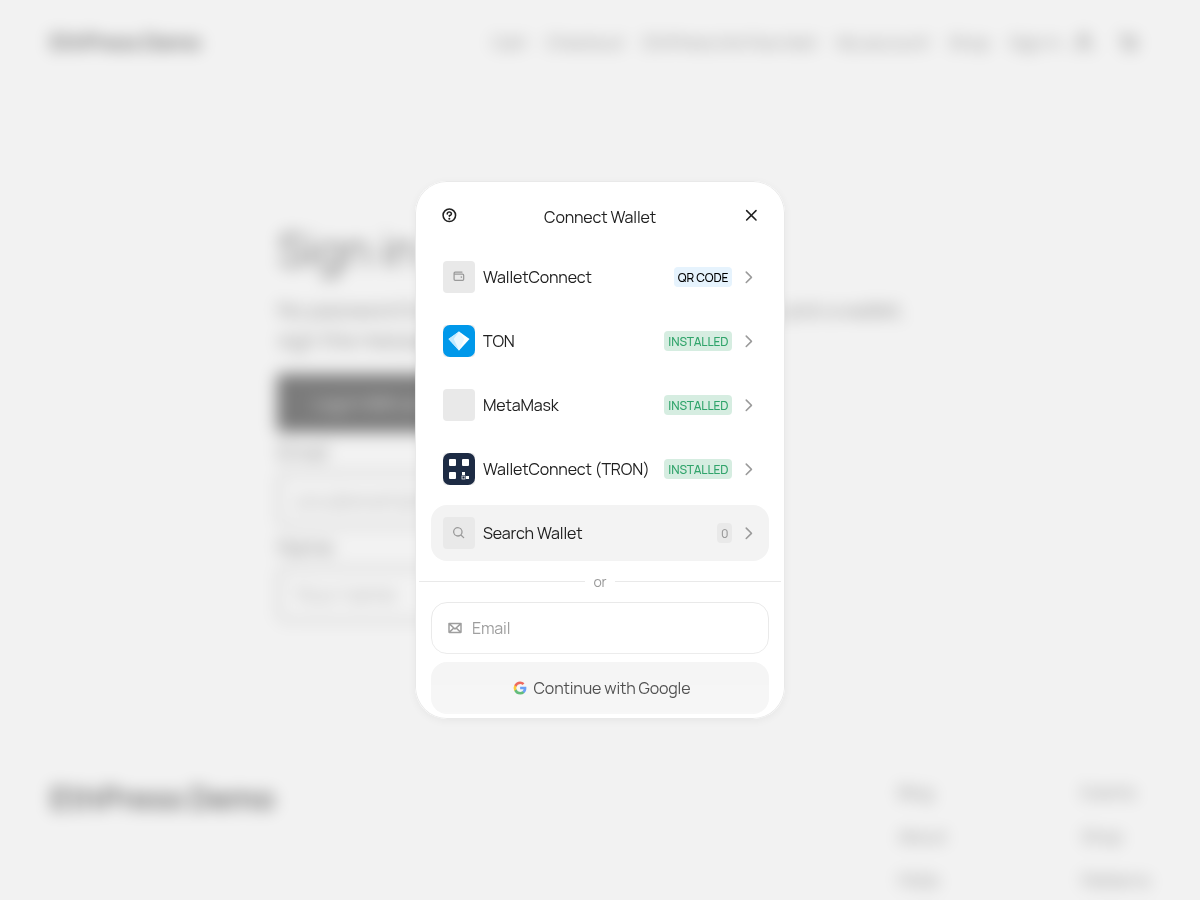
[ethpress_login_button]shortcode. - The button opens a wallet modal: the visitor picks a wallet, and the site never sees a password.
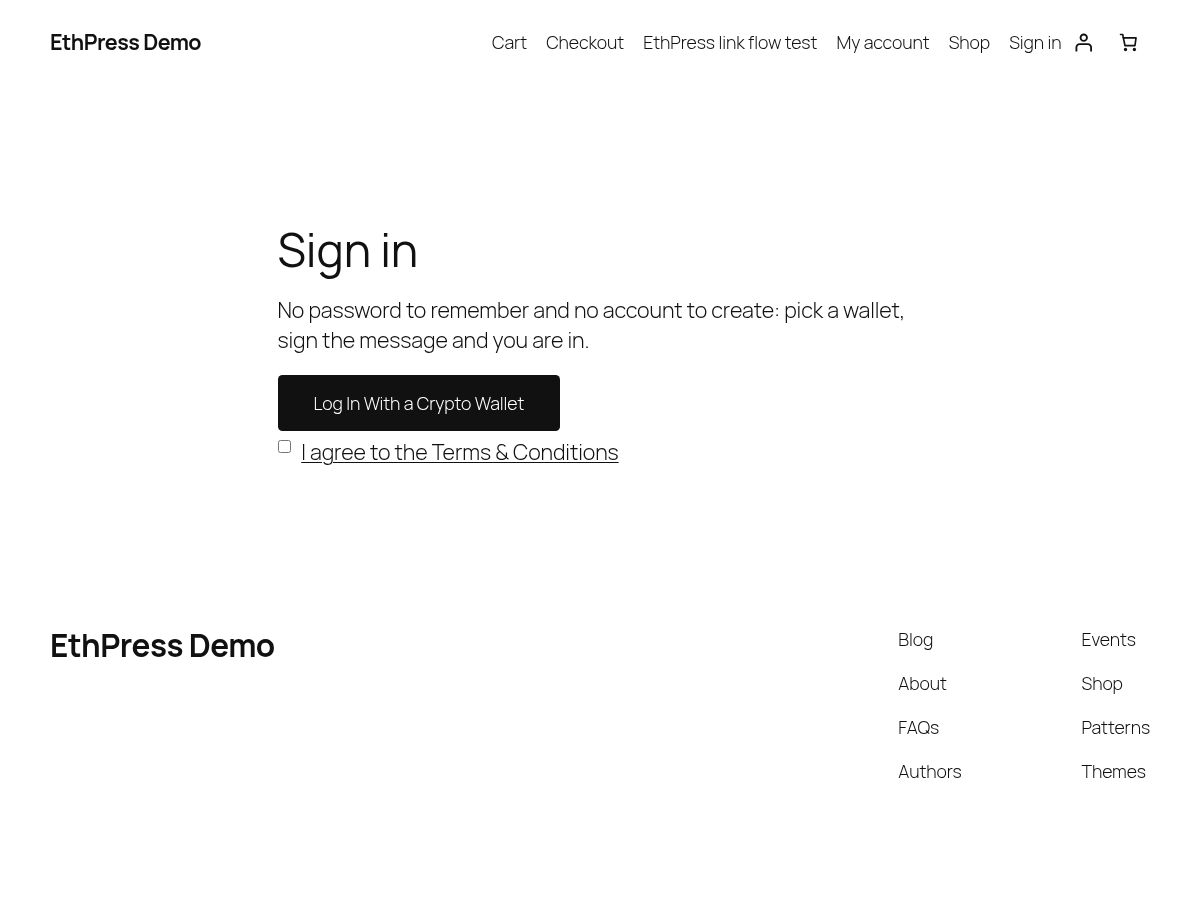
- A required “I agree to the Terms & Conditions” checkbox sits next to the button, and its text links to your own page.
- Your own
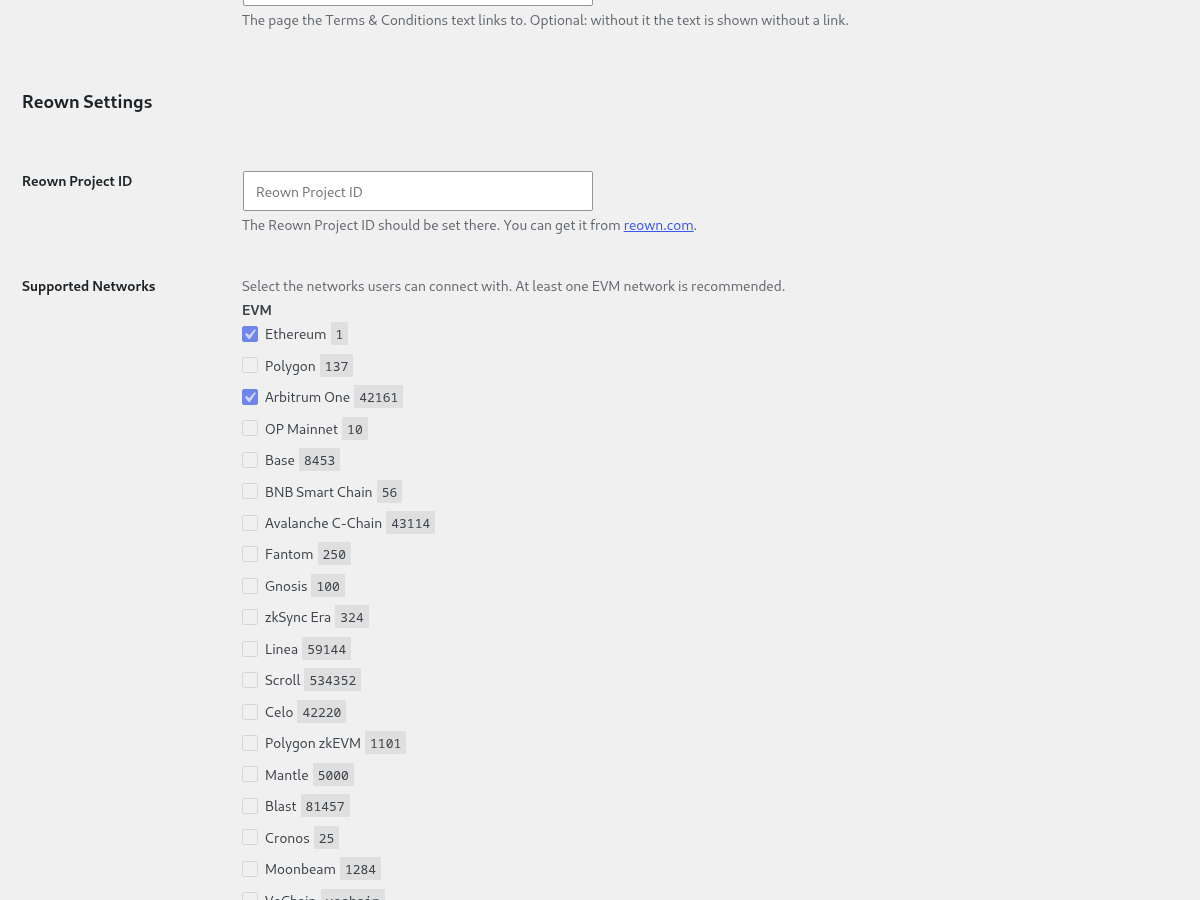
Reown Project ID(from dashboard.reown.com) and the networks the modal offers are set in one place,Reown Settings. - Every signature is verified on your own server with the
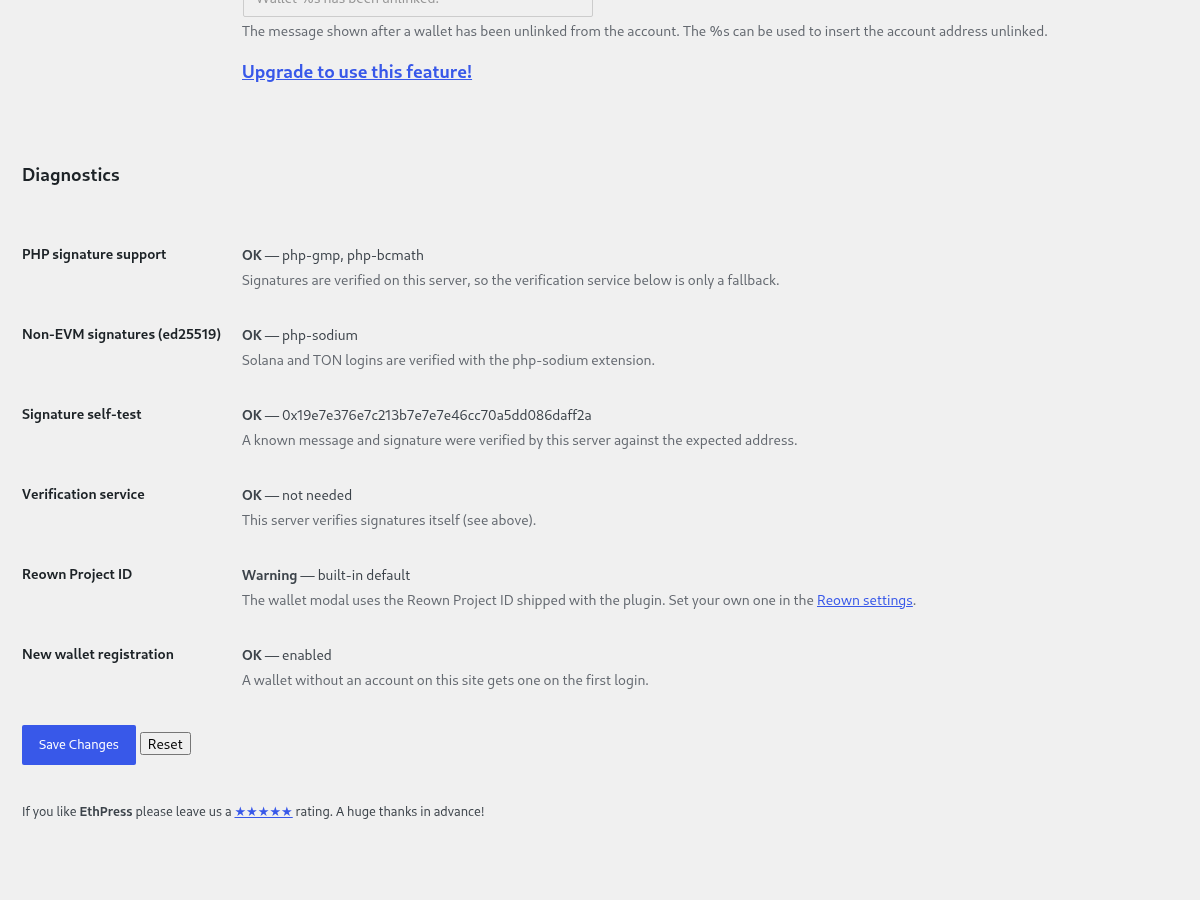
php-gmp/php-bcmathextensions, or by a verification service you can host yourself; theDiagnosticssection proves which path this site takes, and warns when a wallet can no longer register. - (Professional) One wallet modal reaches every chain – the EVM networks, Solana, TRON, Bitcoin and TON – and all of them open the same WordPress account.
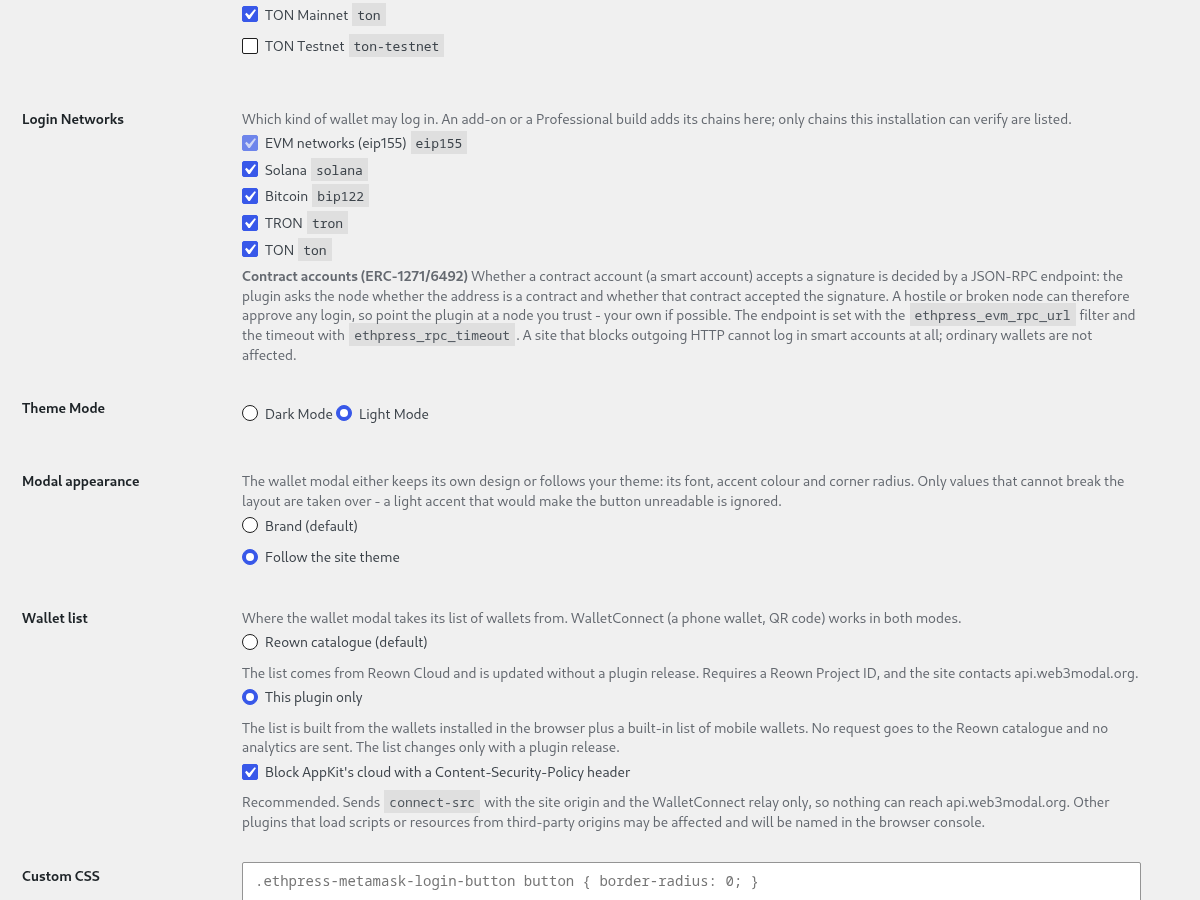
- (Professional) Choose the networks you offer: the EVM chains and testnets, and the non-EVM ones (Solana, TRON, Bitcoin, TON); a network is only offered when this installation can verify its signatures.
- (Professional) Make the modal look like your site: its appearance can follow your theme, the wallet list can come from this plugin instead of the Reown catalogue, and
Custom CSSstyles the rest. - (Professional) Decide what follows a login:
Remember mekeeps the visitor signed in across browser restarts,Profile completionasks for an email and a name, and the redirect target is yours. - (Professional) One account can carry several wallets: a visitor logs in with any of them, the
[ethpress_wallets]shortcode lists them all, and unlinking removes only the wallet it was clicked for. - (Professional) Collect a real email and name before the account exists: the profile form is shown inline, next to the login button.
- (Professional) Email and social login sit in the same wallet modal, and the embedded wallet is verified by the Professional edition (ERC-1271/ERC-6492).
- (Professional) The wallet button appears on WooCommerce’s own login and register forms of the
My Accountpage. - (Professional) The wallet button appears inside Ultimate Member’s login, registration and profile forms.
- (NFT Access Add-On) Say where the add-on reads the chain from – an Infura key or the address of your own node – and which collection and token the whole site requires.
- (NFT Access Add-On) Ask visitors to hold an NFT before they can log in to your site, and send everyone else to the page that explains how to get one.
- (NFT Access Add-On) Write the words a course shows a visitor who does not hold the token: LearnPress and Tutor each have their own message, and both are yours to change.
- (NFT Access Add-On) Protect a WooCommerce product with a token or collection of its own, named in the product editor next to the product itself.
- (NFT Access Add-On) Protect a page the same way, from its own editor: no shortcode and no separate screen.
- (NFT Access Add-On) Drop one product’s buy button anywhere with the
[ethpress_nft_access_addon_nft]shortcode, with the visitor’s ownership shown next to it. - (NFT Access Add-On) A visitor who lacks the token is told how to get it, right next to the buy button of the course.
- (NFT Access Add-On) The token holder sees the protected page open; everybody else is sent to the page that explains how to get the token.
- (NFT Access Add-On) The same wallet opens a protected post, without an account.
- (NFT Access Add-On) A paid course shows “NFT Access Granted” in place of the price for the holder.
- (NFT Access Add-On) The course list marks the course the holder’s wallet already opens, and leaves the other one alone.
The EthPress PRO version is required for the bullets marked (Professional). Free 7 days Trial is available!
The NFT Token based access control for the WooCommerce products, simple pages and posts can be done with the EthPress NFT Access Add-On. Free 7 days Trial is available!
Integrations
- Ultimate Member (Professional). EthPress adds a field of its own to Ultimate Member’s field registry –
EthPress Button, a “Blockchain Address” field type saved as theeth_blockchain_addressuser meta – so it can be placed in any Ultimate Member form: login, registration or profile, in the form builder. Everywhere it is placed, the field renders the wallet address of the current user as a read-only input next to the wallet button. A visitor who is not signed in sees the button and an empty address; a signed-in wallet user sees the address of the wallet this session was opened with, and on the profile form the same field lets them link another wallet to the account. The field has two settings of its own in Ultimate Member’s field editor,Show EthPress button?and the button label, so a form can carry the address without the button or with a button text of its own. The integration belongs to the Professional build: in the Free version Ultimate Member keeps working as usual, theEthPress Buttonfield is simply not in its field list - WooCommerce (Professional). The wallet button is placed on three WooCommerce screens – the
My Accountlogin form, the register form (only when the site allows registration), and the “create an account” block at checkout – and the link button on a fourth,Account details, where a signed-in customer links another wallet to the account. Each of the four is a separate checkbox underWooCommerce Settingsin the plugin settings, and while a box is unticked, or WooCommerce is not active, the matching hooks are not registered at all, so a site that does not use the integration runs no extra code. The email address and the name the customer typed into WooCommerce are handed to the account a wallet login creates (ethpress_register_user_emailandethpress_register_user_name), so a wallet registration made at checkout keeps the billing details instead of falling back to the placeholder email derived from the wallet address
Not shown in the gallery
These settings, shortcodes and integrations work on the same screens as the bullets above, but no single frame proves them, so they are named here instead of being pictured.
- The
Hide on the WordPress login pagesetting hides the wallet login and register buttons onwp-login.php, while buttons added with the shortcodes or the widget keep working. - A wallet without an account gets a message explaining why: the site does not accept registrations (the
Anyone can registersetting) and the visitor should contact the site administrator. The wording is filterable withethpress_registration_closed_messageandethpress_unregistered_message. - The EthPress widget puts the login in a sidebar or any widget area.
- A shortcode [ethpress_link_button] can be used to display the Link accounts button anywhere; the new address is written into all HTML elements with the
eth-address-fieldclass present. - (Professional) Managed Verification Service: the signatures are verified for you when the server has neither
php-gmpnorphp-bcmath. - (Professional) The button labels are yours:
Login button label,Register button label,Link button labelandUnlink button label. - (Professional) The message a wallet signs is yours:
The login signing messageandThe account link signing message. - (Professional) The words shown after linking and unlinking are yours:
The account link success messageandThe account unlink message. - (Professional) A
Link Walletcheckbox on WooCommerce’sAccount detailspage adds the link button there. - (Professional) The
Redirect URLsetting chooses where a successful login lands;Disable standard redirectreturns the visitor to the page where the login started instead, and theRedirect to the profile after loginmode sends a new wallet user to the profile after the first login. - (Professional) A shortcode [ethpress_unlink_button] can be used to display the Unlink wallet button anywhere. It removes the wallet association and disconnects the connected wallet; the account itself is kept, so signing in with the same wallet again links it back to that account instead of creating a second one.
- (Professional) The [ethpress_account] short code can be used to display the address this session was opened with.
- (Professional) TON has a button of its own next to the login button,
Log in with TON: the TonConnect SDK asks the wallet for aton_proof, because AppKit does not request one on connect, and the button appears only when TON is enabled and a TON wallet is installed. - (Professional) The
noredirectandredirect_toattributes of the[ethpress_login_button]shortcode control the redirect per button, and thelabelattribute of the[ethpress_login_button],[ethpress_link_button]and[ethpress_unlink_button]shortcodes changes the button text of that one button. - (NFT Access Add-On) A WordPress role is given to the wallets that hold your token and taken back when they no longer do, without touching the roles you assigned by hand: a rule can ask for any token of an ERC-721 collection or for a list of token ids, and several rules for one role add up.
- (NFT Access Add-On) A visitor without the token cannot add a protected product to the cart, while the product page itself stays readable to every visitor: the refusal is a redirect, so there is no refusal screen to photograph.
- (NFT Access Add-On) A page, a post, a product and a course are closed to non-holders by the same add-on: no single frame shows the four together, so the gallery shows one surface each.
- (NFT Access Add-On) The shop follows token transfers without waiting for the next login, and works alongside the plugins that already move tokens on your site.
- (NFT Access Add-On) Both ERC-721 and ERC-1155 collections are understood.
EthPress NFT Access Add-On Features
Check user NFT authentication control (non-fungible token, erc-721 and erc-1155) ownership.
The EthPress NFT Access Add-On is perfect for blocking users access to a Page, a Post and a WooCommerce Product page, if they don’t own a certain NFT token.
Free 7 days Trial is available
- Say where the add-on reads the chain from – a network from the list, or the address of your own node instead of a paid API key – and which collection and token the whole site requires.
- Ask visitors to hold an NFT before they can log in to your site, and send everyone else to the page that explains how to get one.
- Write the words a course shows a visitor who does not hold the token: LearnPress and Tutor each have their own message, and both are yours to change.
- Protect a WooCommerce product with a token or collection of its own, named in the product editor next to the product itself.
- Protect a page the same way, from its own editor: no shortcode and no separate screen.
- Drop one product’s buy button anywhere on a page with the
[ethpress_nft_access_addon_nft]shortcode, with the visitor’s ownership shown next to it. - Tell a visitor who lacks the token how to get it, right next to the buy button of the course.
- Let the token holder read the protected page, and send every other visitor to the page that explains how to get the token.
- Let the same wallet open a protected post with no WordPress account: the visitor signs a message, reads the post, and it closes again once the token is gone.
- Show “NFT Access Granted” in place of the price of a paid course, for the holder.
- Mark the course the holder’s wallet already opens in the course list, and leave the other courses alone.
- Give a WordPress role to the wallets that hold your token and take it back when they no longer do: a searchable, sortable table in the settings screen instead of PHP, a row for any token of an ERC-721 collection or for a list of token ids, several rows for one role adding up, and the roles you assigned by hand untouched.
Integrations
- LearnPress LMS courses access can be granted with NFT token
- Tutor LMS courses access can be granted with NFT token
- Ethereum Wallet plugin generated accounts are also tested
-
The
ethpress_nft_access_get_user_accountsfilter can be used to add wallets for testing:add_filter('ethpress_nft_access_get_user_accounts', function($accounts) { $more_accounts = get_more_accounts(); return array_merge($accounts, $more_accounts); });
Disclaimer
By using this free plugin you accept all responsibility for handling the account balances for all your users.
Under no circumstances is ethereumico.io or any of its affiliates responsible for any damages incurred by the use of this plugin.
Every effort has been made to harden the security of this plugin, but its safe operation depends on your site being secure overall. You, the site administrator, must take all necessary precautions to secure your WordPress installation before you connect it to any live wallets.
You are strongly advised to take the following actions (at a minimum):
- Educate yourself about cold and hot cryptocurrency storage
- Obtain hardware wallet to store your coins
- Educate yourself about hardening WordPress security
- Install a security plugin such as Jetpack or any other security plugin
- Enable SSL on your site if you have not already done so.
By continuing to use the EthPress plugin, you indicate that you have understood and agreed to this disclaimer.
Hooks
The full list of the plugin actions and filters is documented in the
extra readme.
The EthPress PRO version is required to use the PRO hooks. Free 7 days Trial is available!
স্ক্ৰীনশ্বট

[ethpress_login_button] shortcode.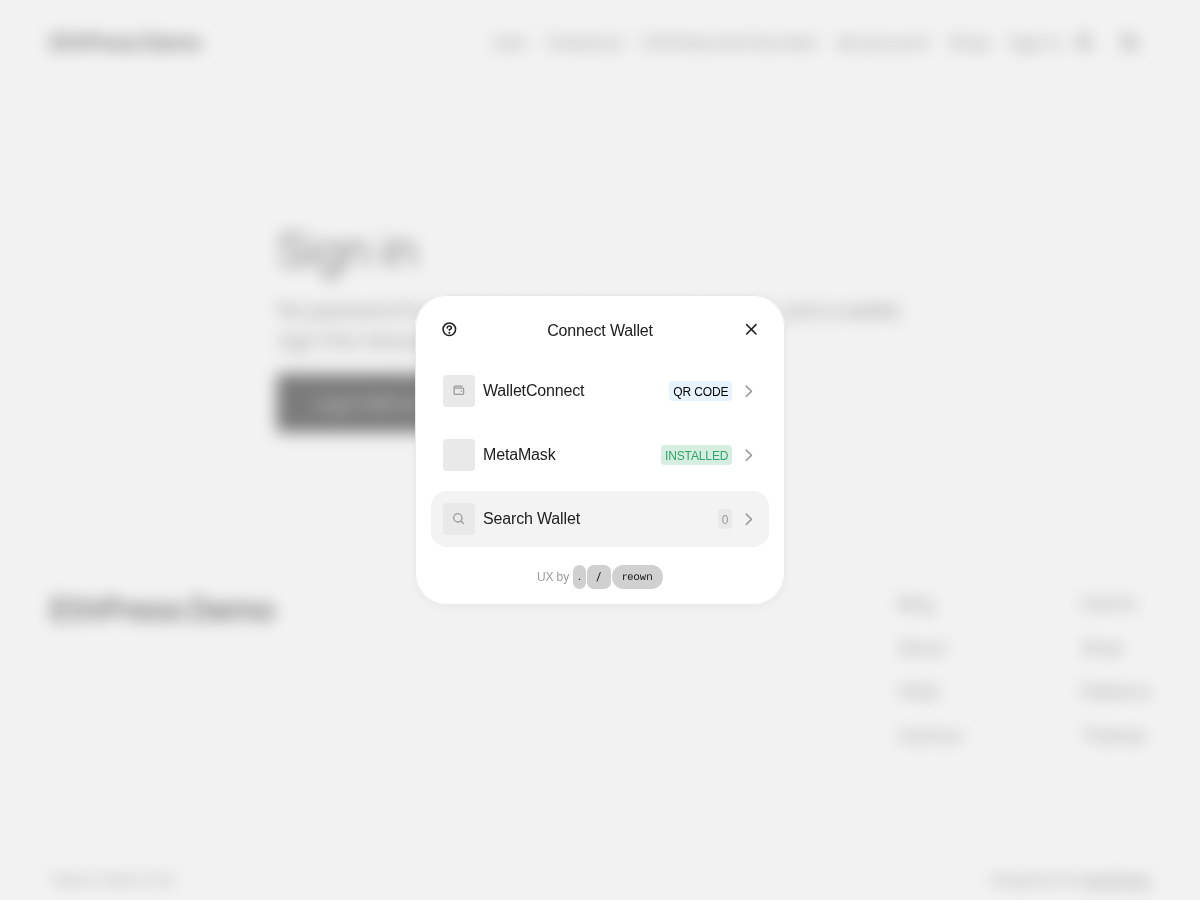




[ethpress_wallets] shortcode.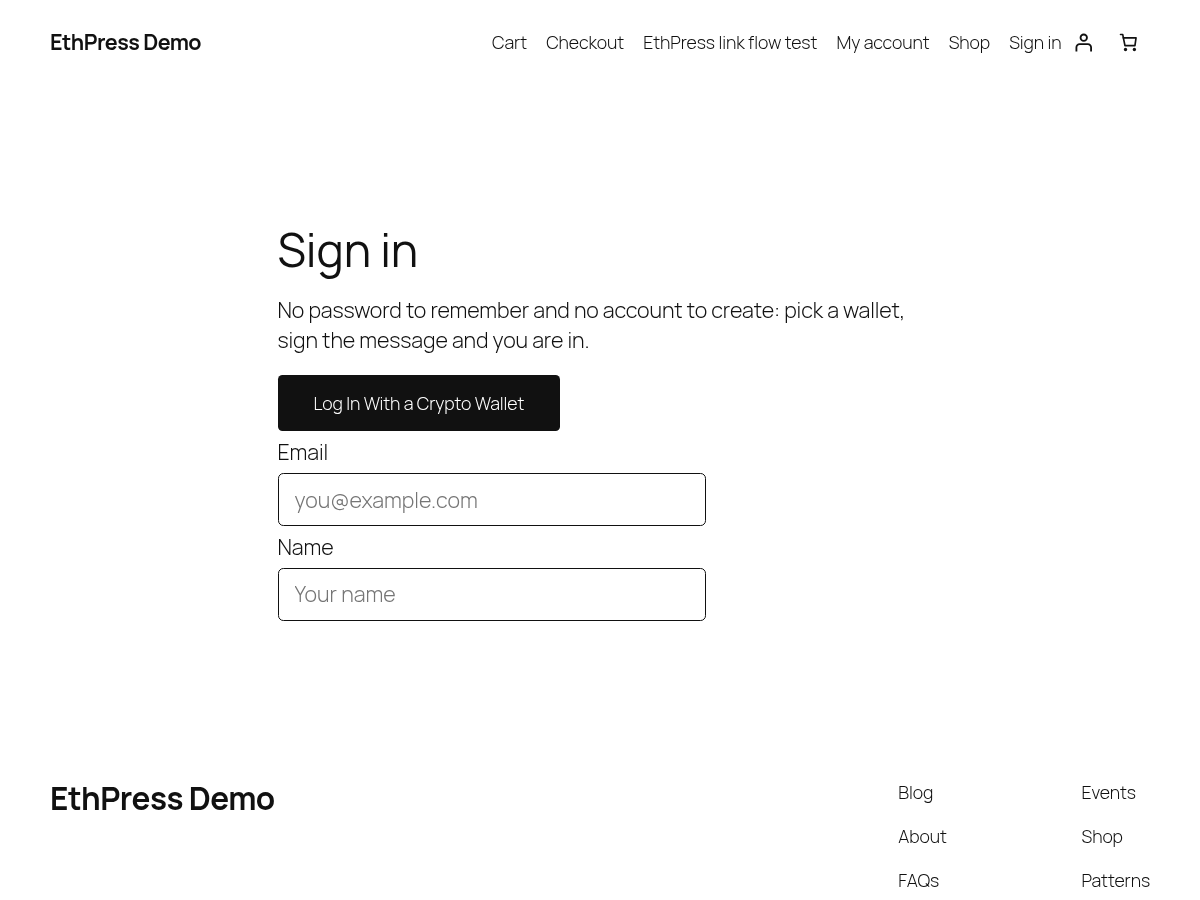
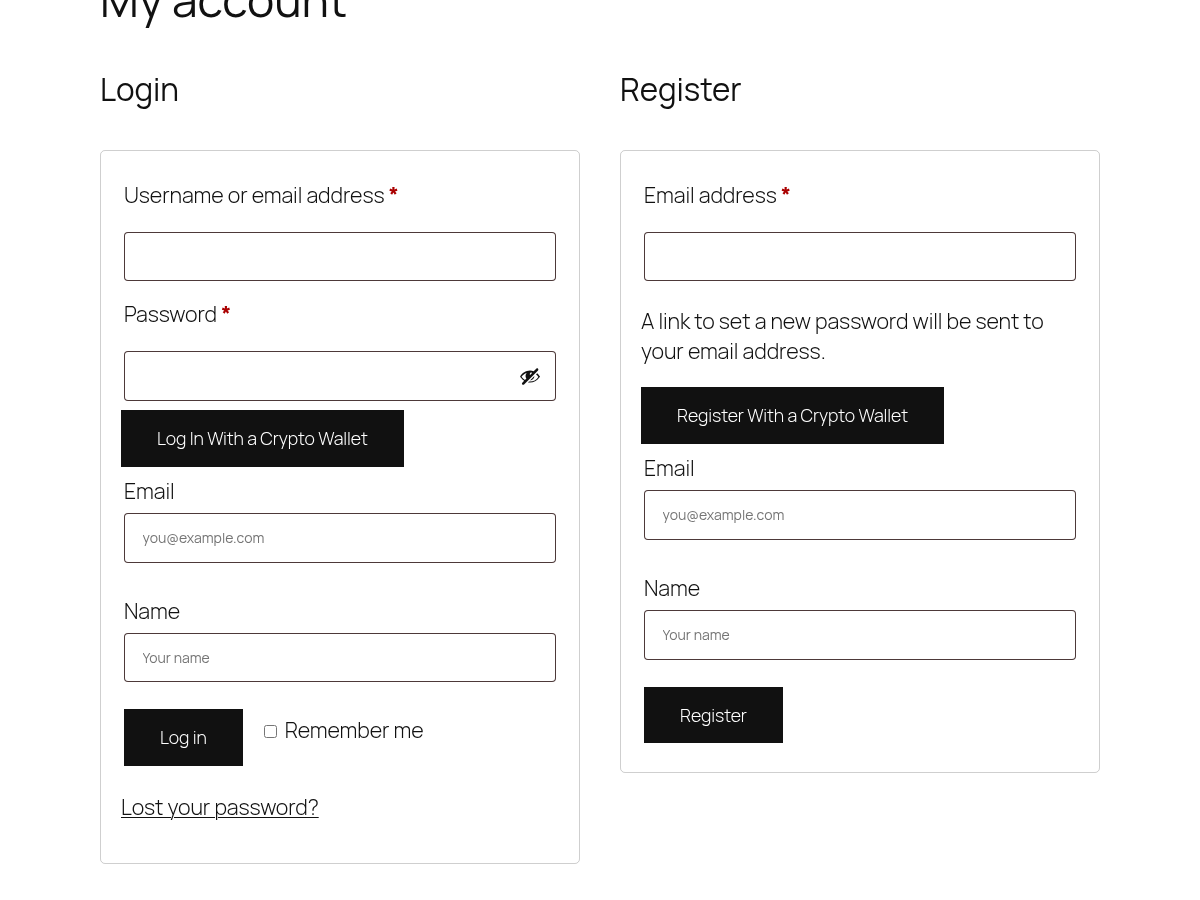
My Account page.
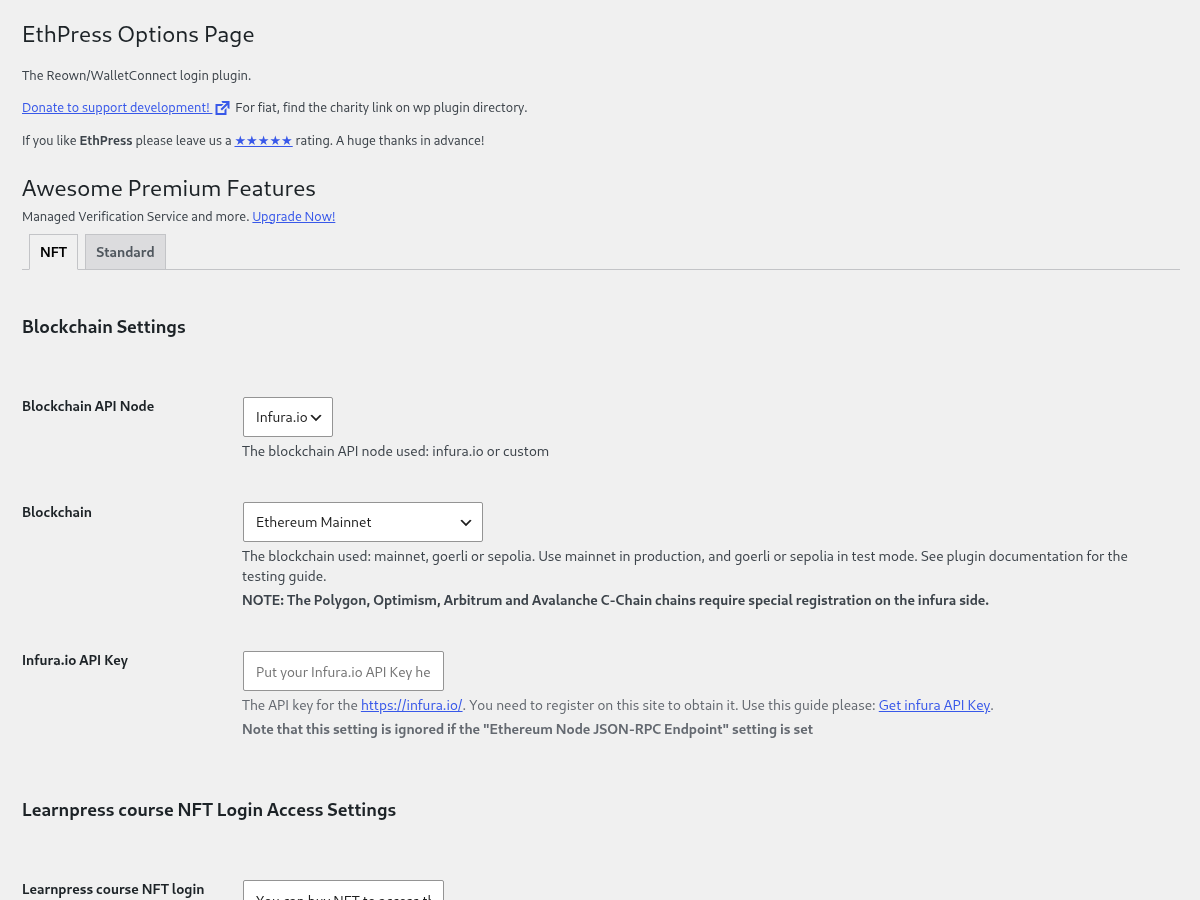

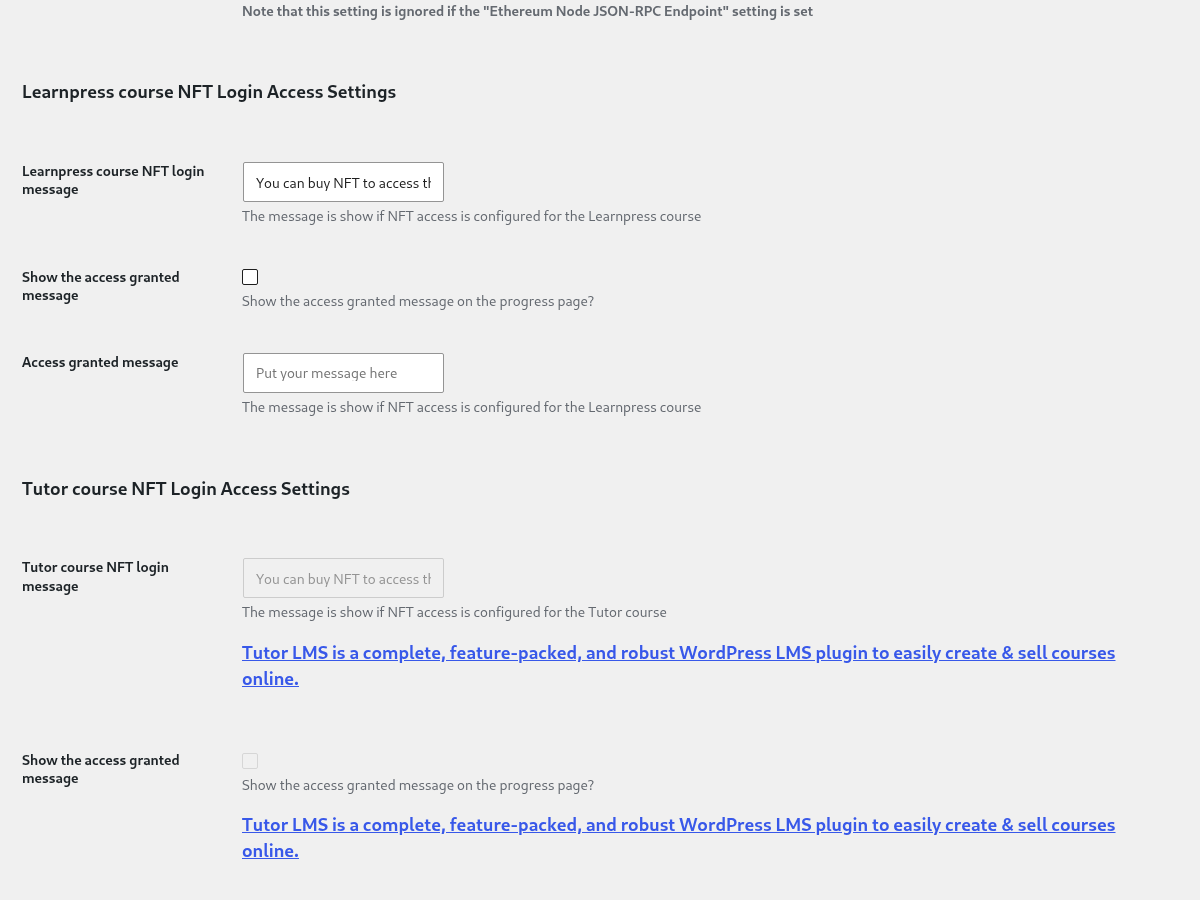


[ethpress_nft_access_addon_nft] shortcode, with the visitor’s ownership shown next to it.


ইনষ্টলেশ্যন
Use WordPress’ Add New Plugin feature, search “EthPress”,
or
- Upload this folder (on WordPress.org, not GitLab) to the
/wp-content/plugins/directory - Activate the plugin through the ‘Plugins’ menu in WordPress
সঘনাই উত্থাপিত প্ৰশ্ন
-
Can NFT token ownerhip restriction be applied?
-
The NFT Token based access control for the WooCommerce products, simple pages and posts can be done with the EthPress NFT Access Add-On. Free 7 days Trial is available!
-
The modal classes keep changing
-
The wallet modal is drawn by Reown AppKit inside a shadow root, so page CSS and class selectors cannot reach it at all (the old
#web3-login-rootelement and its per-buildsvelte-*classes are gone). Style it with theCustom CSSsetting (PRO, in Reown Settings) and the AppKit CSS variables such as--w3m-accent. -
How does it work?
-
The outline is described in this TopTal post by Amaury Martiny.
A one-time nonce is stored for the wallet address and consumed when the signature is verified, so a signed message cannot be replayed. Its lifetime is 15 minutes by default and can be changed with the
ethpress_nonce_lifetimefilter. The IP the message was requested from is stored with it for troubleshooting, but it is not part of the check, because a mobile wallet can switch networks between requesting the message and signing it.For more details, check out the extra readme.
-
Signature verification
-
When user submits a signature, it needs to be verified on server-side.
Read the “How does it work?” question.
Firstly, if you have the
php-gmporphp-bcmathextension installed, we do it with PHP, and you can ignore the rest of this. TheDiagnosticssection of the EthPress settings page proves it with a known message and signature.Otherwise the verification is done by a verification service. EthPress PRO comes configured with a Managed Verification Service. You can also host that service yourself and set its URL in the
Verification Service API URLsetting; its source code is here: https://gitlab.com/losnappas/verify-eth-signature. -
Are my coins safe?
-
Yes. A wallet (e.g. MetaMask) does/should not leak your private keys out into the wild, that would be madness.
-
What about mobile?
-
Mobile integration is in good condition, with Reown QR code reading from wallets such as MetaMask Mobile, there is very little friction!
-
What happens to the account when a wallet is unlinked?
-
Unlinking is a soft detach: only the association is removed, the WordPress account stays.
- The
ethpressuser meta of the account is deleted, so the wallet no longer resolves to it:[ethpress_account], theeth-address-fieldelements and the unlink button show nothing until a wallet is linked again. - A user who signed in with the wallet as their login name is logged out, because the wallet was their only way in. A regular WordPress user (who linked a wallet to an existing account) stays logged in.
- The account itself is not deleted, and neither is its login name. For wallet users the login name is the wallet address, so signing in again with the same wallet finds that account through it and links the address back to it. This is why a freshly unlinked wallet does not get a second account, and why an unlinked wallet cannot be used to register a new one.
- Unlinking from the account page and then signing in with the same wallet therefore ends up in the same account, with the wallet linked again.
To dissociate them for good, delete the WordPress user as well (Users > All Users). Deleting a user removes their wallet address with them.
- The
-
GDPR?
-
This is everything EthPress keeps on your server for a wallet:
- the wallet address, as the
ethpressuser meta of the WordPress user the wallet is linked to. Unlinking the wallet deletes that meta; the user account itself and its login name (the address) stay until the account is deleted; - the WordPress user account itself: its login name and its display name are the wallet address, and its email is a placeholder derived from that address – unless the visitor typed a real email and name, which the registration form, the WooCommerce checkout or the
Inline form next to the login buttonmode collect; - two flags on that user,
ethpress_generated_emailandethpress_profile_incomplete, which let the plugin replace the placeholder email with a real one; - the one-time login nonce: a transient keyed by the wallet address that also records the IP the login message was requested from. The IP is kept for troubleshooting only and is never checked. The nonce is deleted as soon as the signature is verified, and expires after 15 minutes at the latest;
- debugging lines, when the plugin writes them (a failed verification, or any login verified by the service). They go to the WooCommerce log file,
wp-content/uploads/wc-logs/ethpress-*.log, or to the PHP error log when WooCommerce is not installed, and they contain the wallet address, the message that was signed and its signature. Clear those files when the addresses have to be gone.
Nothing is sent anywhere, with two exceptions:
- the verification service, when it is the one verifying the signatures on your site (see the “Signature verification” question). Only the message and the signature are posted; the wallet address is recovered from the signature there, not sent. The default (managed) service is hosted on ethereumico.io and stores nothing, and you can host that service yourself instead.
- opening the wallet modal talks to Reown: its API provides the wallet list, and mobile wallets are connected through the WalletConnect relay. EthPress itself sends neither the signature nor the wallet address there.
Deleting a user deletes their wallet address with them. Removing the plugin deletes the plugin settings, but the wallet addresses stay in
wp_usermetauntil those users are deleted themselves – search for theethpressmeta key if you need to remove them by hand.Check the
Diagnosticssection of the EthPress settings page to see which verification path your site uses. - the wallet address, as the
-
Source code and contributing
-
Contributions on GitLab only, thank you.
Plugin’s source code: https://gitlab.com/losnappas/ethpress.
Signature verifier’s, which is used if no php-gmp or php-bcmath, source code: https://gitlab.com/losnappas/verify-eth-signature.
The wallet modal is a React component built on the Reown AppKit library. Its source code is part of the plugin repository, in the
reown/directory: https://gitlab.com/losnappas/ethpress. -
Further support
-
On the wordpress.org support page, or on the ethereumico.io support forum.
পৰ্য্যালোচনা


অৱদানকাৰী আৰু বিকাশকাৰীসকল
“EthPress – Web3 Login” হৈছে মুক্ত উৎসৰ ছফ্টৱেৰ। এইসকল লোকে এই প্লাগিনত অৱদান আগবঢ়াইছে।
অৱদানকাৰীসকল

“EthPress – Web3 Login” 1টা ভাষাত অনুবাদ কৰা হৈছে। অনুবাদকসকলক তেওঁলোকৰ অৱদানৰ বাবে ধন্যবাদ।
আপোনাৰ ভাষাত “EthPress – Web3 Login” অনুবাদ কৰক।
বিকাশৰ প্ৰতি আগ্ৰহী?
ক’ড ব্ৰাউজ কৰক, SVN ৰিপজিটৰী চাওক নাইবা RSS-দ্বাৰা বিকাশৰ পঞ্জী ছাবস্ক্ৰাইব কৰক।
সলনি-পঞ্জী
3.2.2
- The wallet login button, the profile fields it shows inline and the Terms checkbox now take their look from the page’s theme instead of being drawn like a WordPress admin control: on an ordinary page the button is drawn the way the theme draws its own buttons – its font, its colours, its border and radius – and the email, name and Terms controls next to it inherit the theme’s font and spacing. A theme that styles no buttons of its own gets a plain outlined button in the current text colour
- The plugin no longer injects a page-wide CSS reset into a page that shows the button: the page keeps its own body font, its own link underlines and its own element margins and spacing, instead of being flattened to the plugin’s Arial body and collapsed paragraph rhythm
- The new
ethpress_button_surfacefilter lets a site say itself which surface the button is rendered on, so an integration the plugin does not know can name its own host instead of relying on the surface the plugin detected - The WordPress login screen keeps its admin-style button, and the WooCommerce and Ultimate Member forms keep the look of the plugin whose form they stand in – only a page that has a theme of its own changes
3.2.1
- Fixed the wallet button inside an Ultimate Member form: it was drawn inside a second button – the field opened its
um-fieldwrapper twice, so the button sat in a duplicate div – and it did not look like the form it stood in. It now carries Ultimate Member’s own secondary-button class, the one the form’s “Register” button is drawn with, and the button the plugin mounts inside it no longer paints a frame of its own, so the visitor sees one button that matches its neighbours in colour, size and hover - Fixed the wallet button inside a WooCommerce form: it is drawn by the theme now, like the form’s own “Log In” and “Register” buttons, instead of the small grey admin-style button the plugin uses where the page has no styling of its own. The fix applies to the login, registration, checkout-registration and account-details screens alike
3.2.0
- Email and social login are back in the Professional edition: the plugin no longer hides the “Email” and “Continue with Google” rows there, so the wallet modal offers what the site’s Reown project enables. An embedded wallet signs with ERC-1271/ERC-6492, which the Professional edition verifies – that check asks the site’s JSON-RPC endpoint (
ethpress_evm_rpc_url), so a contract-account login needs a reachable endpoint you trust. Ordinary wallets are not affected by that requirement. The Free edition keeps both rows hidden, because the ERC-1271/ERC-6492 verification is Professional and a row offered there could only end in a failed login; the plugin sets that itself and a Free site cannot turn the rows back on. On Professional an operator can still force them off with thehide_email_socialinline key (see the extra readme) - Linking a second wallet no longer renames the account: the user name stays the address of the first wallet the account was registered with. WordPress keeps the user name inside the authentication cookie, so renaming the account used to log out every other session of it (another browser, a phone); those sessions now keep working. The display name and the profile slug still follow the newest wallet
- Accounts that were renamed by linking a wallet in an earlier version keep their current user name – nothing depends on it, so no data is migrated
- Bitcoin wallets that sign in the BIP-322
fullvariant, or with a DER signature accompanied by their public key, now log in (PRO). Previously such a signature was rejected: the plugin understood only the 65-byte BIP-137 compact form and the BIP-322simpleform, so a Wallet Standard wallet ended in “Bad signature.” after the visitor had approved the prompt - Smart account login (PRO): an account that is a contract – Safe, Argent, a wallet embedded by a provider – can now log in by answering ERC-1271, and an account that is not deployed yet by ERC-6492. The check asks the chain through a JSON-RPC endpoint, so that endpoint becomes the source of truth for it; point it at your own node with the
ethpress_evm_rpc_urlfilter. The newethpress_evm_chain_id,ethpress_rpc_timeoutandethpress_erc6492_validatorfilters are documented in the extra readme - The
Supported networkssetting now offers VeChain (PRO). VeChain addresses are derived the same way Ethereum addresses are, so the existing EVM signature check verifies the login. Only wallets that sign an EIP-191personal_signmessage are covered – VeChain’s own Certificate signature is not supported yet
3.1.0
- Multichain login (PRO): besides the EVM chains, a visitor can log in with a Solana, TRON, Bitcoin or TON wallet. Each chain has its own signature verifier bundled with the plugin, so the checks run on your server and need no external service
- Bitcoin: P2PKH and P2WPKH are verified with BIP-137, taproot (
bc1p…) addresses with BIP-322 - TON: the wallet signs a
ton_proof(domain + timestamp + payload) instead of a text message. The payload is one-time, tied to the login message and expires in 5 minutes - Every chain is now chosen in the wallet modal, so the login stays one button: TronLink and Leather are listed like any other wallet, and TON is a “TON” row that opens the wallet’s own connect window (a
ton_proofcan only be asked for while connecting). The separateLog in with TronLink/Log in with Leather/Log in with TONbuttons and theAlso show the per-chain buttonssetting are removed - A wallet on a phone logs in through the same modal: TRON gets a QR code the plugin draws itself (AppKit has no TRON WalletConnect option of its own), and Bitcoin uses AppKit’s
- The new
Wallet listsetting (Reown Settings, PRO) decides where the modal takes its list from.Reown catalogue(default, the only option in the free version) keeps the list up to date without a plugin release;This plugin onlybuilds it from the wallets installed in the browser plus a built-in list of mobile wallets, sends no analytics, and – withBlock AppKit's cloudon – returns aContent-Security-Policy: connect-srcheader that stops the page from reachingapi.web3modal.org. WalletConnect (a phone wallet, QR code) works in both modes - An account can carry several wallets (PRO): log in with any of them, and the new
[ethpress_wallets]shortcode lists them. Unlinking removes only the wallet it was clicked for, with a confirmation. Attaching an address that belongs to another account is refused - The
Supported networkssetting now offers the non-EVM chains as well (PRO):Solana,TRON,Bitcoin(mainnet, testnet, signet),TON(mainnet, testnet) and the test networks - The
ethpress_login_namespaces,ethpress_signature_verifiers,ethpress_address_types,ethpress_verify_signature,ethpress_networks,ethpress_ton_manifest_url,ethpress_ton_proof_domain,ethpress_ton_payload_lifetimeandethpress_remote_non_evm_verificationfilters are added for add-ons - The
Diagnosticssection warns when thephp-sodiumextension is missing: ed25519 signatures (Solana and TON) are then checked by the bundled pure-PHP implementation, which works but is slower - A wallet user’s address is printed in full everywhere the EVM address used to be (profile,
[ethpress_account],[ethpress_wallets], address fields); only the generated user name is shortened - The wallet modal no longer downloads a webfont from a third-party domain: it renders in the visitor’s system UI font, so a page with a login button makes no request to
fonts.reown.comand preloads no font files - The new
Modal appearancesetting (Reown Settings, PRO) can make the wallet modal follow your theme: its font, its accent colour and its corner radius. Only values that cannot break the layout are taken over – a light accent that would leave the button unreadable is ignored, and the radius is capped
3.0.0
- The login modal is rewritten on Reown AppKit (the successor of WalletConnect v2). The old web3modal based front end is removed
- The new
Reownsettings section is added:Reown Project ID,Theme modeandSupported networks - Multichain support: the new
Supported networkssetting lets you choose which networks are offered to users – the EVM chains (Ethereum, Polygon, Arbitrum, Optimism, Base, BNB Smart Chain, Avalanche, Fantom, Gnosis, zkSync, Linea, Scroll, Celo, Polygon zkEVM, Mantle, Blast, Cronos, Moonbeam) and testnets - Multisite support: the plugin options are now stored network wide
- The
[ethpress_unlink_button]shortcode is added to display the Unlink wallet button anywhere. Unlinking removes the wallet association and keeps the account: signing in again with the same wallet links it back to that account, and the wallet cannot be used to register a second one - A confirmation message is shown to the user after the account is linked
- The Freemius SDK is updated and bundled via Composer
olegabr/keccakis replaced withkornrunner/keccak- Requires PHP 8.1
- The
Disable standard redirectlogin setting is added. When enabled, a successful login no longer redirects to the WordPress dashboard or theRedirect URL, but returns the user to the page where the login started - The
noredirectandredirect_toattributes are added to the[ethpress_login_button]shortcode, so the redirect can be controlled per button - The
labelattribute is added to the[ethpress_login_button],[ethpress_link_button]and[ethpress_unlink_button]shortcodes, so the button text can be changed per button (PRO) - The
Remember melogin setting is added. Wallet users now stay logged in across browser restarts instead of having to connect their wallet on every visit. The Free version always keeps it enabled - Wallet users are now registered with an email address, collected from the login form, the WooCommerce checkout, or a placeholder derived from the wallet address, so their profile is editable
- The
Profile completionlogin setting is added. When enabled (PRO), new wallet users who registered without an email address are sent to their profile after the first login to add an email and a name. It also has anInline form next to the login buttonmode, which collects the email and name before the account is created. The values are remembered for the current browser tab, so a reload does not lose them - The
Hide on the WordPress login pagesetting is added. When enabled, the wallet login and register buttons are not displayed on wp-login.php. Buttons added with the shortcodes or the widget are not affected - The
Custom CSSsetting is added (PRO). It styles the login buttons and the wallet modal - The
Terms & Conditions textandTerms & Conditions URLlogin settings are added. They show a required “I agree to the Terms & Conditions” checkbox next to the wallet login button; the text links to the given URL when set. The login is blocked until the box is ticked, and the acceptance is checked on the server as well - The
Diagnosticssection is added to the plugin settings. It answers the “why does nothing work here” questions without support: whetherphp-gmp/php-bcmathverify signatures on this server, whether a known message and signature really recover the expected address (checked with this server, or with the verification service when that is the path the logins take), which verification service is used instead, whether your own Reown Project ID is set, and whether new wallets can create an account - A signature verification that is done by the verification service now fails cleanly when the service is unreachable, if your site blocks outbound requests, or when it answers with an HTML error page or a different JSON shape. Such answers used to raise PHP warnings inside the login request instead of a normal “failed to verify” error. The signature self-test in the
Diagnosticssection reports exactly that: it probes the service when the service is the path the logins take, and it waits at most 5 seconds - The
[ethpress_login_button]shortcode no longer prints nothing for a logged-in visitor. It prints a hint explaining that the button is hidden because the user is already logged in (notice="1"forces it for every visitor,notice="0"switches it off); site owners see the hint by default - A wallet without an account is no longer answered with the bare “You have not registered on this site; we cannot log you in”. When the site does not accept registrations (the default), the message now says so, names the
Anyone can registersetting and tells the visitor to contact the site administrator – something they can forward as is. Both messages are filterable withethpress_registration_closed_messageandethpress_unregistered_message - Fixed wallet login on sites where another active plugin (for example BuddyPress) prints output, or renders a login form, while the login request is being processed. Such output used to be prepended to the AJAX response, which broke it with the
Unexpected token < in JSON at position 0error and left the user logged in on the server but not in the browser - A malformed signature that cannot be recovered no longer returns an HTTP 500 error page. The failure is caught and reported as a regular JSON error response
- Fixed the renewed AJAX nonces that a successful login returns in its response. They were created for a session token that the browser did not have yet, so using them right after logging in failed with
Bad nonce, please refresh. The renewed nonces are now valid on the session the login just created - Wallet login with Bitcoin addresses (PRO). P2PKH (
1…) and P2WPKH (bc1q…) are verified as BIP-137 signed messages; taproot (bc1p…) is verified as a BIP-322simplesignature, which is the scheme taproot wallets sign with, since BIP-137 is not defined for them - Wallet login nonces are now one-time. The nonce is issued when the login message is requested and consumed when the signature is verified, so a signed message cannot be replayed. Its lifetime is configurable with the
ethpress_nonce_lifetimefilter (15 minutes by default) instead of the fixed five minutes, and it no longer depends on the session token, which fixesBad nonce, please refreshon slow mobile wallet flows