

বৰ্ণনা
A lightweight plugin for WordPress that uses shortcode to customize where and when documents are listed. Easily upload documents and post them to the appropriate document type. Display documents in a table format on any page.
Some of the awesome features include:
- Create unlimited document types as lists
- Display documents using a Shortcode
- Filter documents using the “type” attribute.
- Customize List Titles using the “title” attribute.
স্ক্ৰীনশ্বট

Simply Settings Admin page 
Document Type List page 
Document List page 
Add New Document page – Document Settings tab 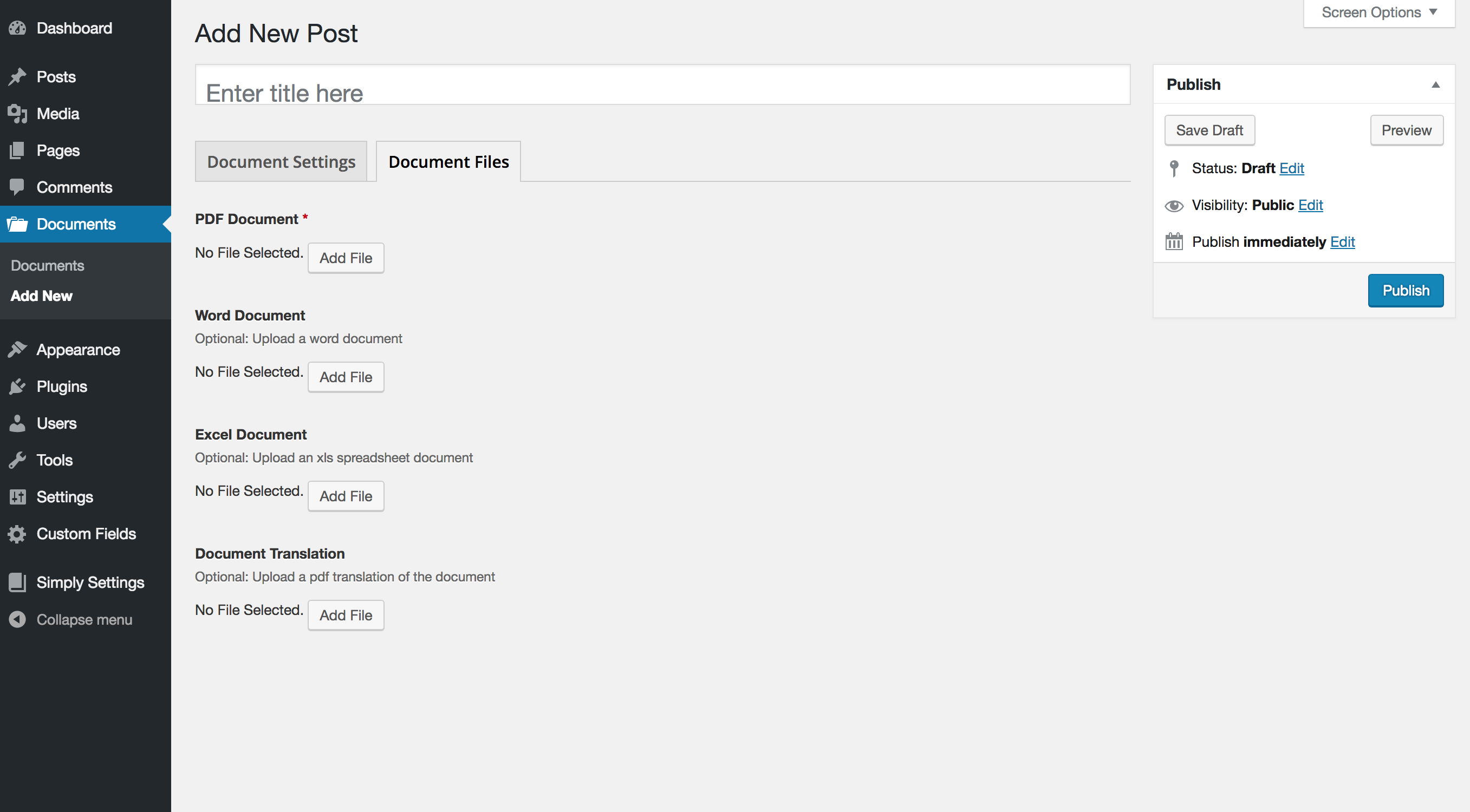
Add New Document page – Document Files tab 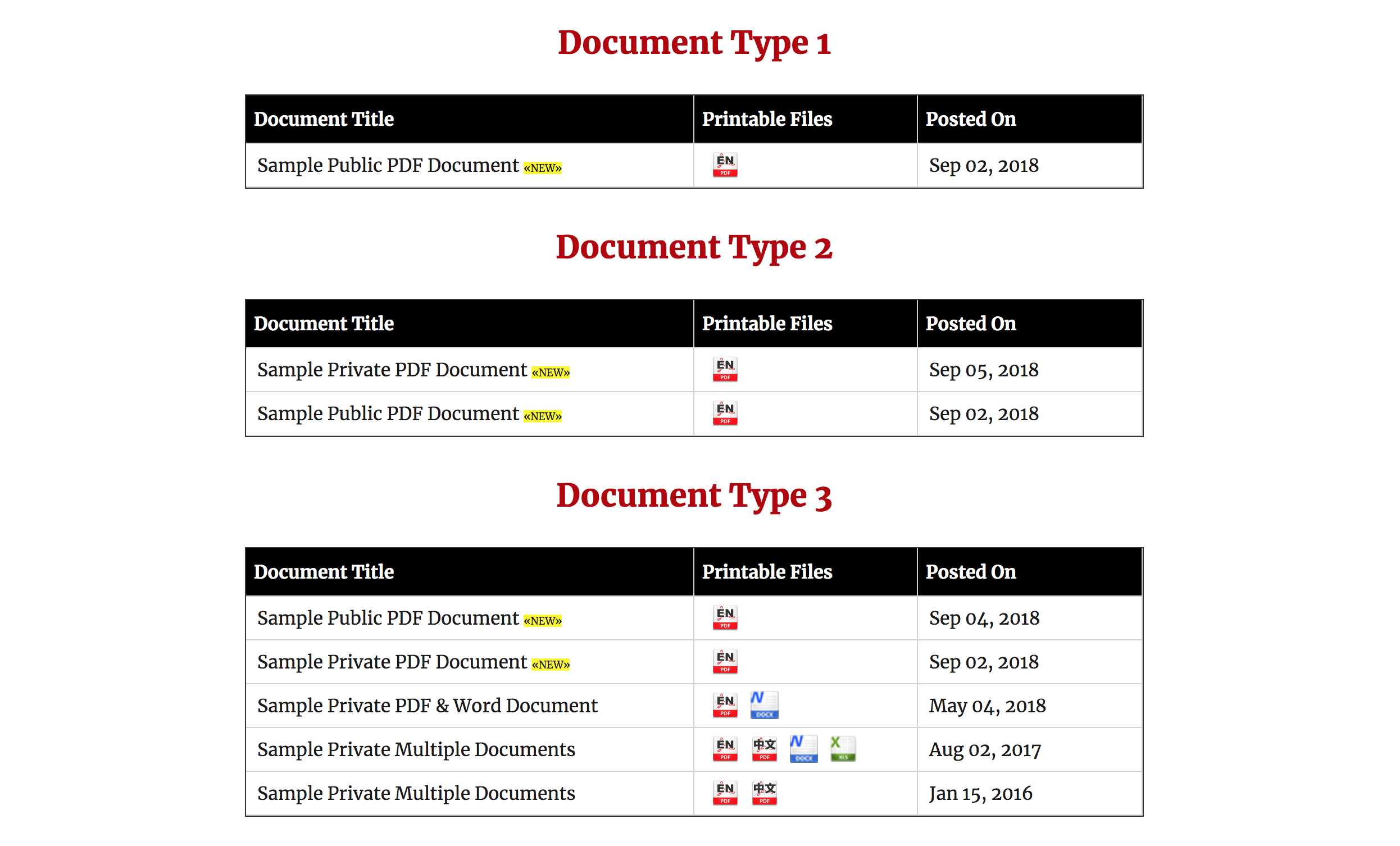
Frontend Document List on page
ইনষ্টলেশ্যন
- Unzip the plugin file
- Upload the folder
simply-documentsand it’s contents to the/wp-content/plugins/directory - Activate the plugin through the ‘Plugins’ menu in WordPress
- Use the
Simply Settingsplugin menu to create a newDocument Types - Include the Shortcode (ex.
[simply_documents) to embed the list of documents anywhere in your website - Add the type attribute to your shortcode (ex.
[simply_documents type="123"]) found next to your document type to filter the documents by type. - Add the title attribute to your shortcode (ex.
[simply_documents title="Sample Documents"]) to customize the title of your list. - Happy list building!
সঘনাই উত্থাপিত প্ৰশ্ন
- Installation Instructions
-
- Unzip the plugin file
- Upload the folder
simply-documentsand it’s contents to the/wp-content/plugins/directory - Activate the plugin through the ‘Plugins’ menu in WordPress
- Use the
Simply Settingsplugin menu to create a newDocument Types - Include the Shortcode (ex.
[simply_documents) to embed the list of documents anywhere in your website - Add the type attribute to your shortcode (ex.
[simply_documents type="123"]) found next to your document type to filter the documents by type. - Add the title attribute to your shortcode (ex.
[simply_documents title="Sample Documents"]) to customize the title of your list. - Happy list building!
- Can I remove the title from the table?
-
Yes! Add the following attribute to your shortcode: [ title=””].
- Can I add multiple document files?
-
Yes! The following file types with corresponding icons have been built into this plugin: .pdf, .doc, .xls, chinese pdf translation
পৰ্য্যালোচনা
এই প্লাগিনৰ বাবে কোনো পৰ্য্যালোচনা নাই।
অৱদানকাৰী আৰু বিকাশকাৰীসকল
“Simply Documents” হৈছে মুক্ত উৎসৰ ছফ্টৱেৰ। এইসকল লোকে এই প্লাগিনত অৱদান আগবঢ়াইছে।
অৱদানকাৰীসকল
আপোনাৰ ভাষাত “Simply Documents” অনুবাদ কৰক।
বিকাশৰ প্ৰতি আগ্ৰহী?
ক’ড ব্ৰাউজ কৰক, SVN ৰিপজিটৰী চাওক নাইবা RSS-দ্বাৰা বিকাশৰ পঞ্জী ছাবস্ক্ৰাইব কৰক।
সলনি-পঞ্জী
1.0
- Original Release